
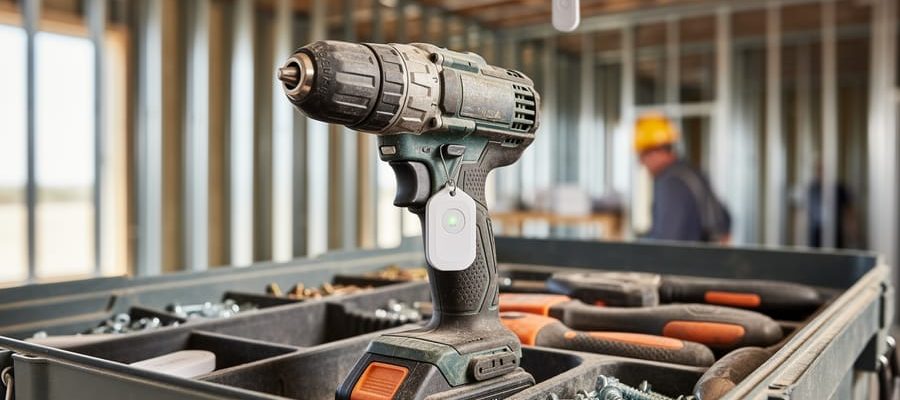
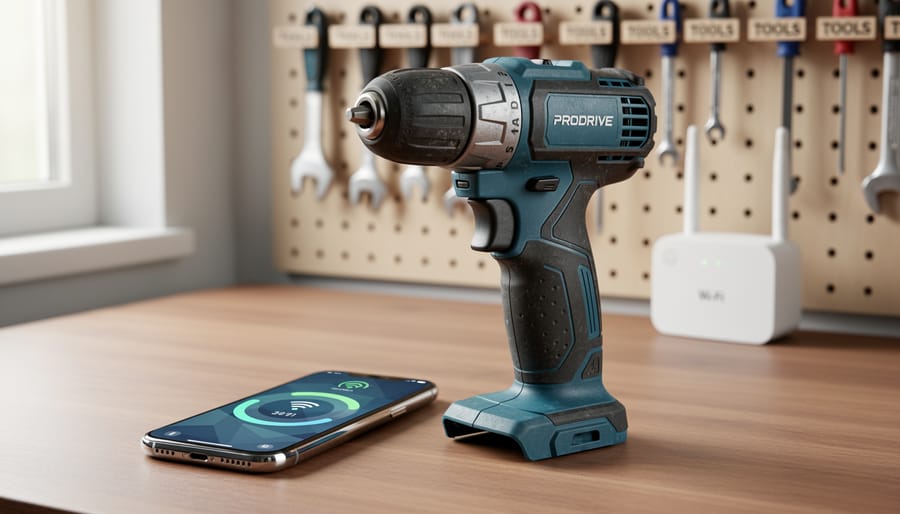
Your cordless drill just got smarter overnight. Over-the-air (OTA) firmware updates are transforming power tools from static devices into evolving equipment that improves long after you’ve purchased or rented them. This wireless technology allows manufacturers to push software enhancements, performance optimizations, and new features directly to your tools through Bluetooth or Wi-Fi connections, eliminating the need for service center visits or manual updates.
Think of OTA updates like smartphone updates, but for your circular saw, impact driver, or laser level. When a manufacturer discovers a way to extend battery life by 15%, improve motor efficiency, or add a new operating mode, they can deliver that upgrade instantly to compatible tools. For professionals managing fleets of equipment and DIY enthusiasts investing in quality tools, this means your purchase maintains its value and capability over time rather than becoming outdated.
The technology matters especially in tool rental contexts. Rental companies can ensure every tool leaving their facility operates with the latest safety features and performance standards without physically servicing each unit. Renters benefit by accessing equipment that performs better today than it did six months ago, creating a win-win scenario that’s reshaping expectations across the industry.
Understanding how OTA updates work, what benefits they deliver, and how to manage them effectively helps you maximize your tool investment whether you own, rent, or operate equipment professionally.
What Is OTA Firmware and Why Should You Care?
Breaking Down the Tech: Firmware vs. Software
Think of firmware as the permanent instructions baked into your tools, while software is more like the apps on your smartphone that you regularly update or change. Firmware lives deep inside your device’s hardware, controlling its most basic functions.
Here’s a simple way to understand it: software tells your computer what to do, but firmware tells your tool how to be what it is. In a cordless drill, the firmware manages how the battery communicates with the motor, controls the trigger response, and regulates power output. It’s the foundational code that makes the drill work as a drill.
Regular software, like the app on your phone that tracks your tool inventory, can be easily replaced or removed. Firmware, however, is more permanent and essential to the tool’s core operation. You wouldn’t typically think about firmware until an update becomes available.
The good news? While firmware is permanent, it isn’t unchangeable. That’s where OTA (Over-The-Air) updates come in. Manufacturers can now push improvements to your tools’ firmware wirelessly, fixing bugs, improving battery performance, or even adding new features without you needing to send anything back or visit a service center. It’s like giving your trusty tools a tune-up through invisible radio waves.
How Wireless Updates Actually Work
Here’s how the wireless update process works when you receive a notification on your tool:
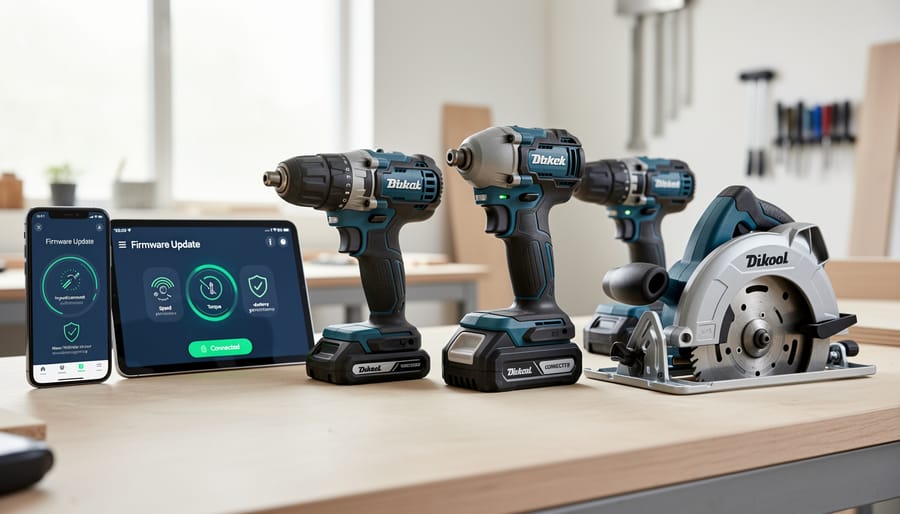
First, your power tool connects to the internet through Wi-Fi or pairs with your smartphone via Bluetooth. Most modern tools use a companion app that checks the manufacturer’s server for available updates. When new firmware is ready, you’ll receive a notification on your phone or see an indicator light on the tool itself.
Once you initiate the update, the new firmware file downloads directly to your tool. During this process, which typically takes 5-15 minutes, the tool enters a special update mode. You’ll notice status lights blinking or a progress indicator in the app showing the download percentage.
The tool then installs the new firmware, replacing the old software instructions with improved ones. Think of it like updating your smartphone—the device temporarily becomes unavailable while it applies the changes. Never interrupt this process or disconnect power, as doing so could damage the tool’s software.
After installation completes, the tool automatically restarts and runs a quick self-check to ensure everything works properly. You’ll receive confirmation that the update succeeded, and your tool is ready to use with its enhanced features and improvements.
Real-World Benefits: What OTA Updates Mean for Your Tools
Better Performance Without Buying New Equipment
One of the most practical advantages of OTA firmware updates is how they can breathe new life into your existing tools without spending a penny on hardware upgrades. Think of it as getting a performance boost delivered straight to your workshop.
Firmware updates often include optimizations that extend battery life by improving how your tool manages power consumption. For example, an update might refine the motor control algorithms, allowing your drill or impact driver to work more efficiently and squeeze extra runtime from the same battery pack.
Precision improvements are another common benefit. Manufacturers can fine-tune torque settings, speed controls, and sensor responsiveness after analyzing real-world usage data. A circular saw that occasionally struggled with consistent blade speed might run smoother after an update addresses those issues.
Power delivery can also be enhanced through firmware tweaks that better distribute energy during demanding tasks. Professional tradespeople have reported noticeable improvements in tool response times and overall reliability following updates. These refinements come from manufacturers listening to user feedback and addressing performance gaps identified in the field, making your tools work smarter without requiring new purchases.
Enhanced Safety Features That Arrive Automatically
OTA firmware updates deliver critical safety enhancements that protect you and your tools without requiring a service visit. Modern power tools now receive automatic upgrades for overheat protection, where the tool monitors internal temperatures more accurately and adjusts motor output to prevent damage or potential fire hazards. Kickback prevention systems get smarter too, with refined algorithms that detect blade binding or sudden resistance faster, triggering instant motor shutoff before accidents occur.
Emergency shutoff features benefit from regular calibration improvements, ensuring brakes engage more reliably when you release the trigger. Some manufacturers have pushed updates that add low-battery safety protocols, preventing tools from operating when power levels could cause unpredictable performance. Community feedback plays a vital role here—when users report specific safety concerns through manufacturer apps or forums, companies can analyze usage data and deploy protective updates. These automatic improvements mean your rented or owned tools become safer over time, addressing real-world scenarios that only emerge through widespread use.
Bug Fixes and Problem Solving
OTA updates shine when problems arise after tools reach customers. For example, when DeWalt discovered a battery calibration issue affecting runtime displays on certain impact drivers, they pushed a firmware fix directly to affected tools within days—no service center visits required. Milwaukee Tool similarly addressed a motor control glitch in their M18 FUEL line through an overnight update, preventing potential overheating issues before they became widespread complaints.
Real users have reported fixes ranging from charging inconsistencies to Bluetooth connectivity problems, all resolved through simple app-initiated updates. One professional contractor shared how a firmware patch corrected his angle grinder’s speed regulation issue while it sat in his van overnight. This rapid response capability means manufacturers can act on community feedback quickly, turning potential safety concerns or performance complaints into resolved issues before they impact your work.
Extended Tool Lifespan and Value
OTA firmware updates significantly extend tool lifespan by keeping equipment technologically current without requiring hardware replacement. For rental businesses, this means their inventory maintains competitive value longer, avoiding premature obsolescence. A drill purchased three years ago can receive the same safety improvements and performance enhancements as brand-new models through simple software updates. This keeps older tools rental-ready and eliminates the need for costly fleet replacements simply because features become outdated. For professionals and DIY users who own their tools, regular firmware updates protect their initial investment by ensuring compatibility with new accessories, batteries, and smart features as they emerge. Tools that receive ongoing software support retain higher resale value and remain professionally viable for extended periods. According to community feedback from rental users, tools with update capabilities often feel “like new” even after years of service, delivering consistent performance that justifies rental costs and ownership decisions alike.
AI-Powered Tools: The Next Generation of Smart Equipment
Adaptive Learning: Tools That Get Smarter Over Time
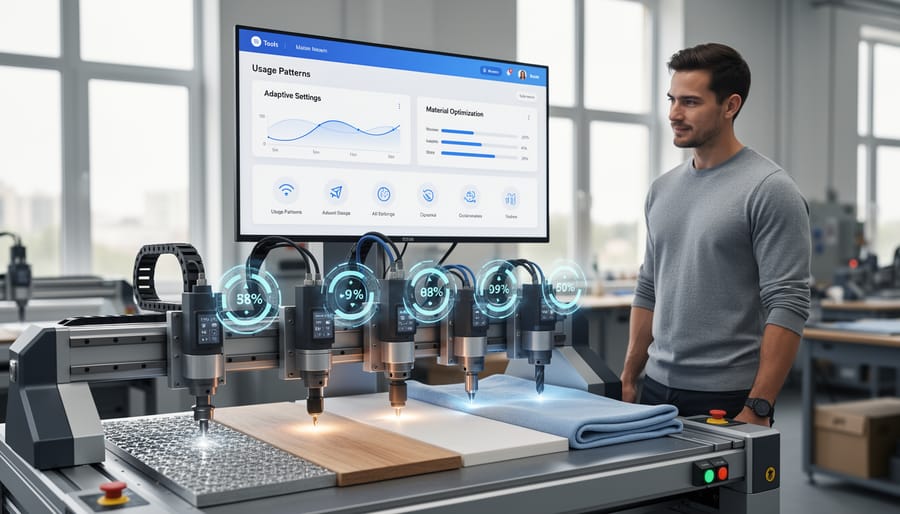
Modern power tools equipped with OTA firmware updates don’t just receive static improvements—they actually get smarter with use. Through AI-powered adaptive learning, these tools monitor how you work and automatically adjust their performance to match your specific needs and habits.
Here’s how it works in practice: when you use a drill regularly for cabinet installation, the tool learns your preferred torque settings and common materials. Over time, it starts suggesting optimal speeds before you even adjust the settings. Similarly, impact drivers track which fastener types you use most frequently and fine-tune their impact patterns accordingly.
This smart tools learning capabilities technology extends to battery management too. Your tools learn your typical workday patterns—how long you work between charges, which tasks drain power fastest, and when you need maximum performance versus extended runtime. The firmware then optimizes battery allocation to ensure you’re not caught short during critical tasks.
For rental users, this means you’re picking up tools that have already been optimized through collective usage data from other tradespeople, giving you professional-grade performance from day one without the learning curve.
Predictive Maintenance Alerts
One of the most practical advantages of OTA firmware updates is their ability to enable predictive maintenance alerts. Modern tools equipped with sensors collect real-time data about performance metrics like motor temperature, vibration levels, battery health, and usage patterns. When combined with artificial intelligence and machine learning algorithms, this data becomes incredibly valuable for preventing unexpected breakdowns.
Instead of waiting for a tool to fail mid-job, predictive maintenance systems analyze performance trends and warn you days or even weeks before a component reaches critical failure. For example, your cordless drill might alert you that the battery is degrading faster than normal, or your compressor might flag unusual pressure fluctuations that indicate a seal wearing out. These early warnings give you time to schedule repairs or arrange replacement equipment without disrupting your work.
For rental businesses and frequent hirers, this technology dramatically reduces downtime and repair costs. When combined with digital twin technology, tools can virtually simulate wear patterns to predict maintenance needs with remarkable accuracy. Real-world feedback from tradespeople shows that predictive alerts have helped them avoid costly job delays, with some reporting up to 40% reduction in unexpected tool failures. This proactive approach transforms maintenance from reactive emergency repairs into planned, cost-effective servicing.
Automated Settings and Task Recognition
Modern power tools equipped with OTA firmware updates can now intelligently adapt to your work through automated settings and task recognition features. These smart capabilities use built-in sensors to detect what material you’re working with—whether it’s hardwood, softwood, metal, or plastic—and automatically adjust power output, speed, and torque accordingly.
Task detection technology takes this further by recognizing specific operations. For example, a smart drill might sense when you’re drilling pilot holes versus driving screws and switch modes without manual intervention. Some advanced tools can even detect when a bit is getting dull or when the battery is running low, adjusting performance to maintain consistent results.
Environmental sensors add another layer of automation by monitoring temperature, humidity, and vibration levels. If conditions change—like working in extreme cold—the tool’s firmware can compensate to maintain optimal performance and protect internal components.
What makes OTA updates valuable here is that manufacturers can continuously improve these recognition algorithms based on real-world usage data and user feedback from the community. A tool you rent or purchase today can literally get smarter over time, learning to handle new materials or tasks through simple wireless updates. This means you’re not stuck with fixed capabilities—your tools evolve alongside emerging applications and user needs.
Which Tools Are Getting OTA Updates?
Battery-Powered Tools Leading the Way
Major tool manufacturers have embraced OTA firmware updates across their cordless lineups. Milwaukee’s M18 FUEL impact drivers and drill/drivers feature Bluetooth connectivity, allowing users to customize tool performance through their One-Key app and receive firmware updates that improve power delivery and battery efficiency. DeWalt’s TOOL CONNECT-enabled products, including select impact wrenches and drills, similarly offer wireless updates that enhance anti-kickback protection and extend runtime. Bosch has integrated this technology into their professional-grade circular saws and rotary hammers, with updates addressing motor control and safety features. Even compact tools like Makita’s XDT16 impact driver now support firmware improvements. These updates typically take just minutes to install via smartphone apps, making it easy for both professionals and DIY users to keep their tools running at peak performance without visiting service centers.
Heavy Equipment and Machinery
Larger rental equipment like industrial generators, air compressors, and construction machinery increasingly feature OTA firmware update capabilities, bringing significant advantages to both rental companies and users. These systems allow equipment managers to diagnose issues remotely, often resolving problems without site visits. For example, a generator experiencing performance issues on a job site can receive diagnostic firmware updates to optimize fuel efficiency or adjust voltage regulation, minimizing downtime.
Construction equipment such as excavators and aerial lifts benefit from updates that enhance safety features, improve hydraulic system efficiency, or add new operating modes. When you rent heavy machinery, OTA technology means you’re more likely to receive equipment with the latest performance improvements and safety protocols already installed.
From a user perspective, this translates to more reliable equipment performance throughout your rental period. Many professional contractors have noted that OTA-enabled machinery experiences fewer unexpected breakdowns because maintenance teams can monitor equipment health and push preventive updates before issues escalate. While you typically won’t perform these updates yourself as a renter, understanding that your rental equipment stays current through wireless updates provides peace of mind that you’re working with well-maintained, up-to-date machinery.
Smart Tool Storage and Tracking Systems
Modern tool storage solutions are getting smarter through OTA firmware updates. Connected toolboxes now feature built-in tracking systems that monitor which tools are checked in or out, perfect for rental businesses managing multiple job sites. These systems receive firmware updates to improve GPS accuracy, extend battery life, and add new security features.
Smart inventory management systems use RFID tags and wireless readers that sync with mobile apps, automatically updating your tool roster. When combined with biometric access control, these storage solutions create comprehensive theft prevention networks. Users report that regular firmware updates have resolved initial connectivity issues and added useful features like geofencing alerts.
For professional tradespeople, OTA updates mean your investment stays current without purchasing new hardware. Community feedback shows that updated tracking systems have helped recover stolen equipment and streamline tool rental check-out processes, making them valuable for both business owners and individual contractors managing expensive tool collections.
How to Update Your Tools: A Practical Guide
Getting Started: What You’ll Need
Before updating your tool’s firmware over-the-air, gather these essentials. You’ll need a stable Wi-Fi connection with internet access, as updates download directly to your power tool. Ensure your smartphone or tablet is charged and running the manufacturer’s app, available free from the App Store or Google Play. Most brands require creating an account with basic information like your email address. Check that your tool’s battery has at least 50% charge, since updates drain power and shouldn’t be interrupted. Download the app beforehand and complete registration to save time. Some manufacturers integrate their firmware update systems with AR training software, offering guided setup assistance. Keep your tool’s serial number handy for registration. Position yourself within 10 meters of your router for optimal signal strength during the update process.
The Update Process Step-by-Step
Updating your tool’s firmware over-the-air is straightforward once you know the steps. Start by ensuring your tool has at least 50% battery charge—interruptions during updates can cause problems. Connect your tool to your smartphone via Bluetooth or Wi-Fi, depending on the manufacturer’s system. Open the companion app and navigate to the settings or device management section.
When an update is available, you’ll see a notification with details about what’s included. Read through the update notes to understand what improvements or fixes you’re getting. Tap “Update” or “Install” and keep your phone near the tool throughout the process. Most updates take 5-15 minutes.
During the update, avoid using the tool or turning it off. You’ll see a progress indicator on your phone, and some tools display lights or sounds to show the update is working. Once complete, the app will confirm success, and your tool may restart automatically.
Common troubleshooting: If the update fails, check your internet connection and Bluetooth pairing. Restart both your phone and tool, then try again. Low battery is the most frequent culprit for failed updates. If problems persist, contact the manufacturer’s support team—they can often push updates remotely or provide specific device guidance.
Update Safety and Best Practices
Before starting any OTA firmware update, take a few essential precautions to prevent problems. First, ensure your tool’s battery is fully charged or connected to power. Updates can take several minutes, and losing power mid-process could corrupt the firmware and potentially damage your tool. If you’re updating a corded tool, verify you have a stable power supply.
Check your internet connection strength, especially if using Wi-Fi. A dropped connection during download can interrupt the process. Position yourself close to your router or use a wired connection when possible.
Once an update begins, never turn off the tool or disconnect it from the app. This is the most critical rule. Interrupting an update can leave your tool in an unusable state, sometimes requiring professional service to restore functionality. Most tools display a progress indicator, so you’ll know when it’s safe to resume normal use.
Finally, avoid using the tool during the update process, even if it seems responsive. Wait for confirmation that the update completed successfully before operating your equipment.
What This Means for Tool Rental and Hire Services
Always Rent the Latest Version
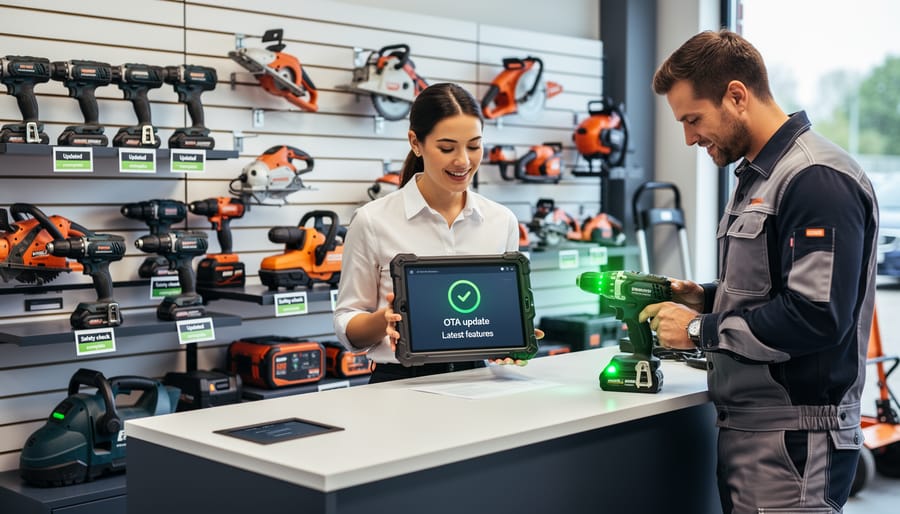
When you rent tools with OTA firmware update capability, you’re guaranteed to work with equipment that stays current throughout your rental period. Think of it like streaming services that automatically add new shows – you don’t pay extra for updates, but you get access to the latest improvements whenever the manufacturer releases them.
This means the drill you rent today might automatically gain improved battery management or enhanced safety features tomorrow, without any action required on your part. Rental companies benefit too, as they can update entire fleets remotely rather than manually servicing each tool. For you as the customer, this translates to consistent pricing while enjoying cutting-edge features that weren’t available when the tool first launched. Whether you’re a weekend DIYer or a professional contractor, you’re essentially getting a better tool than the one you initially reserved, all at the same rental rate. Many users in our community have reported that rental tools with OTA capabilities often perform better than older models they own personally, making rental an increasingly smart choice for accessing the newest technology without the commitment of purchasing.
Better Maintenance and Reliability
For rental companies, OTA firmware updates transform equipment management from reactive to proactive. These updates enable real-time monitoring of tool health metrics like battery performance, motor temperature, and usage patterns. When a drill shows signs of bearing wear or a saw’s blade alignment drifts, the system can flag it automatically before it becomes a safety issue or causes downtime.
This data-driven approach helps rental businesses schedule preventive maintenance during natural gaps in bookings rather than dealing with unexpected breakdowns. You benefit from this too: fewer on-site failures mean your project stays on schedule, and you’re less likely to receive equipment that’s about to quit mid-job.
The firmware can also track usage intensity, helping companies rotate stock more intelligently and identify tools that need earlier retirement. Some systems even send maintenance alerts directly to technicians, streamlining the service process. The result is a rental fleet that’s more reliable, safer, and consistently ready for your next project, whether you’re a weekend DIYer or running a professional job site.
Common Concerns and Questions Answered
What If the Update Fails or Bricks My Tool?
Modern tools include several safety features to prevent complete failure during OTA updates. Most manufacturers design firmware updates with a fallback system, meaning your tool keeps a copy of the previous working firmware. If the new update doesn’t install correctly, the tool automatically reverts to the last known good version.
Many power tools also feature a recovery mode that you can access by holding specific button combinations during startup. This allows you to restore factory settings or retry the update. Check your tool’s manual for the exact recovery procedure, as it varies by manufacturer.
Regarding warranties, most reputable brands cover firmware-related issues under their standard warranty terms, provided you followed the official update process. However, using third-party firmware or attempting unauthorized modifications typically voids warranty protection. If an official update causes problems, contact the manufacturer’s customer support immediately. They can often resolve issues remotely or provide replacement options. Always ensure your tool’s battery is fully charged before starting an update, as power interruptions are the most common cause of failed installations.
Privacy and Data Collection Concerns
Smart tools collect various types of data during OTA firmware updates, and understanding what information is gathered helps you make informed decisions. Most manufacturers collect basic operational data like tool usage patterns, battery health, temperature readings, and error logs to improve performance and diagnose issues. Some tools also track location data, though this can typically be disabled in companion apps.
Your data is generally used for three purposes: improving firmware updates, developing new features, and providing customer support. Reputable manufacturers should clearly explain their data practices in their privacy policies. Always review these policies before connecting your tools to Wi-Fi or Bluetooth.
You typically have control over data collection through manufacturer apps, where you can often opt out of certain tracking features while still receiving essential firmware updates. However, refusing all data sharing may limit some smart features. Check your tool’s settings menu or companion app for privacy controls.
When renting smart tools, ask about data collection practices and whether your usage information is retained. For both owners and renters, strong cybersecurity for smart tools remains essential to protect any data transmitted during updates.
Can I Skip Updates or Roll Back?
Whether you can skip or reverse updates depends on your tool manufacturer’s policies. Some tools require mandatory safety or compliance updates, while others offer optional feature enhancements. Check your tool’s app or settings menu to see which category applies.
Skipping updates isn’t always recommended. You might miss important safety patches, security improvements, or bug fixes that affect performance. However, you typically have control over when to install non-critical updates, letting you choose convenient timing between projects.
Rolling back to previous firmware versions varies by manufacturer. Some brands allow rollbacks through their apps or customer support, while others lock firmware progression for safety reasons. Before updating, check your manufacturer’s documentation or online community forums where other users share their experiences with specific updates.
If you choose not to update, your tool will generally continue functioning as it did originally. However, you might lose compatibility with newer app features, accessories, or connected devices. Some rental companies also require current firmware for warranty coverage, so keep this in mind if you’re renting or plan to rent your tools.
The Future: What’s Coming Next in Smart Tool Technology
The smart tool landscape is evolving rapidly, and OTA firmware updates are opening doors to capabilities we’re only beginning to explore. Here’s what’s on the horizon and what you should keep an eye on.
Artificial intelligence is making its way into power tools, and OTA updates will be the delivery method. Imagine your drill learning your usage patterns and automatically adjusting torque settings for different materials, or your saw recognizing potential kickback situations before they happen. These AI-driven safety features will arrive through firmware updates, making tools smarter over time without requiring new purchases.
Predictive maintenance is another game-changer coming soon. Tools will monitor their own wear patterns and alert you when parts need replacement, preventing failures before they happen. For rental businesses and professional tradespeople, this means less downtime and more reliable equipment management.
Cross-tool communication is also emerging. Future updates may allow your tools to work together as a connected ecosystem, sharing battery management data, tracking project progress, and even coordinating settings based on the task at hand. Your impact driver might communicate with your drill to maintain consistent torque across a framing project.
Cloud-based tool management platforms will become standard, letting professionals track their entire tool inventory, monitor usage across job sites, and receive automated update notifications for multiple devices simultaneously. This is particularly valuable for rental services managing large fleets.
For DIYers and professionals alike, the key takeaway is simple: OTA-capable tools aren’t just about today’s features. They’re an investment in tomorrow’s innovations. When choosing your next tool or rental, consider OTA capability as a feature that extends the useful life and functionality of your equipment well into the future.
OTA firmware updates represent a genuine revolution in how we interact with our tools. What once required professional servicing or equipment replacement can now happen seamlessly through your smartphone, keeping your equipment current and performing at its best. Whether you’re a weekend DIYer or a seasoned tradesperson, this technology puts unprecedented control in your hands.
The combination of over-the-air updates and artificial intelligence isn’t just about convenience. It’s about maximizing your investment, reducing downtime, and accessing features that simply weren’t available when you first acquired your tools. From rental equipment that maintains consistent performance across its lifecycle to personally owned tools that grow more capable over time, these innovations benefit everyone in our community.
We encourage you to share your experiences with smart tools and OTA updates in the comments below. What features have you discovered through firmware updates? Have you encountered any challenges we haven’t covered? Your insights help fellow users make informed decisions and troubleshoot issues more effectively.
Stay curious, keep your equipment updated, and don’t hesitate to explore the expanding capabilities of your modern tools. The future of tool technology is already here, and it’s continuously improving.
Related Posts


Post a Comment