


Your renovation budget says £15,000, but you’ve seen projects spiral to £22,000. Your timeline estimates three months, yet you’re still working six months later. Traditional planning uses single-point estimates—best guesses that ignore the dozens of variables that can derail your project. Monte Carlo simulation changes this by running thousands of scenarios simultaneously, calculating the actual probability of finishing on time and on budget.
This statistical technique, borrowed from fields like aerospace engineering and financial forecasting, has become surprisingly accessible for construction projects of any scale. Instead of asking “Will my kitchen renovation cost £12,000?”—a question with a simple yes or no answer—Monte Carlo simulation asks “What’s the probability distribution of my final costs?” and might reveal you have only a 30% chance of staying under £12,000, but an 85% chance of staying under £14,500.
The power lies in acknowledging uncertainty. Material prices fluctuate. Contractors run late. Hidden damage emerges behind walls. Weather delays outdoor work. Monte Carlo simulation doesn’t eliminate these risks—it quantifies them, helping you make informed decisions about contingency funds, scheduling buffers, and which subcontractors to hire based on their reliability track records.
Whether you’re a homeowner planning a bathroom remodel or a professional contractor managing multiple sites, understanding probability-based forecasting transforms how you approach project planning. The mathematics sounds intimidating, but modern tools have made implementation straightforward, requiring nothing more complex than a spreadsheet and clear thinking about what might go wrong.
What Is Monte Carlo Simulation (In Plain English)

Why Traditional Estimates Fall Short
When you estimate a renovation will take 10 days or cost $5,000, you’re making what’s called a single-point estimate. But here’s the problem: real-world projects rarely unfold exactly as planned. That tiling job might finish in 8 days if everything goes smoothly, but discovering damaged subflooring could push it to 15 days. Traditional estimates ignore this uncertainty entirely, treating your best guess as guaranteed reality.
This is precisely why traditional estimates fall short for complex work. Construction and renovation projects involve countless variables: material delivery delays, weather interruptions, hidden structural issues, equipment breakdowns, and subcontractor availability. Each variable adds uncertainty, and when you combine multiple uncertain tasks, predicting the final outcome becomes nearly impossible with a single number.
Single-point estimates also create false confidence. When you tell a client a project will take 10 days, they expect exactly that. Missing the mark damages trust and strains budgets. What you really need is a range of possibilities with probabilities attached, which is where Monte Carlo simulation becomes invaluable for managing expectations and planning resources effectively.
How Monte Carlo Changes the Game
Traditional estimation gives you a single number: “This kitchen renovation will take 6 weeks and cost £8,000.” But what if supplier delays happen? What if that wall contains unexpected plumbing issues? Monte Carlo simulation changes the game by running thousands of scenarios—each considering different combinations of delays, cost variations, and unknowns—to show you the full range of possibilities.
Instead of one estimate, you get a probability distribution. You might discover there’s a 50% chance your project finishes within 6 weeks, an 80% chance it wraps up by 7 weeks, and a 95% confidence level that it won’t exceed 8 weeks. The same applies to budget: you’ll see not just the most likely cost, but also realistic best-case and worst-case scenarios.
This insight transforms decision-making. When hiring equipment, you can plan for realistic timeframes rather than optimistic guesses. You’ll know whether to book that concrete mixer for two weeks or budget for three. Community feedback from other renovators shows this approach reduces nasty surprises and helps secure appropriate contingency funds upfront, making projects smoother and less stressful for everyone involved.
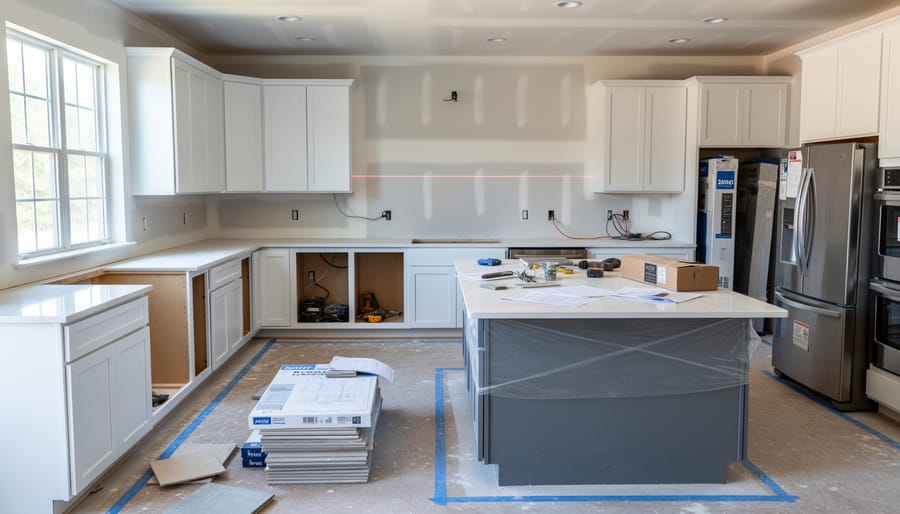
Real-World Example: Kitchen Renovation Gone Wrong (Then Right)
Meet Sarah, a homeowner who planned what seemed like a straightforward kitchen renovation. She gathered quotes from contractors, added a 10% contingency buffer, and set her budget at £22,000 with a projected timeline of six weeks.
Using the traditional estimation approach, Sarah’s contractor broke down the project into phases: demolition (3 days), plumbing and electrical (5 days), cabinet installation (7 days), countertops (3 days), and finishing work (10 days). Everything looked manageable on paper.
However, when Sarah’s project manager friend suggested running the numbers through a Monte Carlo simulation, the results told a different story. They identified three major variables with uncertainty ranges: delivery times for custom cabinets (anywhere from 14 to 28 days instead of the promised 21), electrical work complications (potentially requiring £800 to £3,200 in additional upgrades to meet current building codes), and subcontractor availability during the busy spring season.
After running 10,000 simulated scenarios, the Monte Carlo analysis revealed an 80% probability that the project would exceed both the timeline and budget. The simulation showed a 50% chance costs would reach £24,500 and a realistic completion time of eight to nine weeks for most scenarios. Only 15% of simulations came in at or under the original £22,000 budget.
Armed with this information before starting work, Sarah made different decisions. She ordered cabinets immediately rather than waiting until demolition finished, hired an electrician to assess the wiring upfront, and secured her preferred subcontractors with deposits. She also adjusted her budget expectations to £25,000 and communicated a nine-week timeline to her family.
The actual result? The project finished in 8.5 weeks at £24,200. While this exceeded the original estimate, Sarah felt in control throughout because she had planned for realistic scenarios rather than best-case assumptions. The Monte Carlo simulation transformed potential surprises into managed expectations, allowing her to make informed decisions about scheduling and spending from day one. Community feedback from other renovators confirmed similar experiences when they moved from traditional estimates to probability-based planning.
The Three Key Risks Monte Carlo Helps You Quantify
Schedule Risk: When ‘Two Weeks’ Becomes Two Months
We’ve all been there—a contractor promises “two weeks” and you’re still waiting two months later. This isn’t just optimism or poor planning; it’s the reality of how small delays compound across interconnected tasks. Monte Carlo simulation addresses this by acknowledging what every experienced renovator knows: uncertainty is the only certainty.
Unlike traditional scheduling that assigns single estimates to each task (paint the bedroom: 3 days), Monte Carlo recognizes that tasks have ranges. That bedroom might take 2 days if conditions are perfect, or 5 days if you discover wall damage requiring repairs first. The simulation runs thousands of scenarios, randomly selecting durations within each task’s realistic range.
The real power emerges when dealing with task dependencies. You can’t install flooring before demolition finishes. You can’t paint until plastering dries. When your demolition runs a day late, it doesn’t just delay one task—it shifts everything downstream. Monte Carlo tracks these ripple effects across your entire project timeline, combined with effective resource planning.
The compounding effect is sobering. Five tasks, each with a 20% chance of one-day delays, don’t just add five potential delay days. Because delays cascade through dependencies, your actual risk might be weeks, not days. The simulation reveals this hidden exposure, showing you probability curves like “70% chance of finishing within 8 weeks, 90% chance within 10 weeks”—giving you realistic expectations instead of overly optimistic single-point estimates.
Cost Risk: Why Your Budget Needs a Cushion
Construction and renovation budgets rarely survive contact with reality unchanged. Even the most carefully planned projects encounter cost pressures that can quickly erode your financial cushion if you haven’t anticipated them properly.
Material price fluctuations represent one of the most significant variables in any project. Timber, steel, concrete, and specialty materials can swing dramatically based on supply chain disruptions, seasonal demand, or global market conditions. A quote you received in January might be 15-30% higher by March, especially for imported materials. Monte Carlo simulation helps you model these price ranges based on historical volatility rather than hoping prices stay static.
Labor costs introduce another layer of uncertainty. Skilled tradespeople command premium rates during busy construction seasons, and availability can force you to pay overtime or hire less experienced workers who take longer to complete tasks. Weather delays, scope creep, and coordination issues between trades can all extend labor hours beyond initial estimates.
Equipment rental extensions frequently catch people off guard. That excavator you booked for three days might need to stay an extra week if you hit unexpected ground conditions or weather delays. Daily rental rates compound quickly, and availability constraints might force you into premium pricing.
Then there are the genuine surprises: discovering asbestos during demolition, encountering code compliance issues requiring expensive upgrades, or finding structural damage hidden behind walls. These hidden costs aren’t just unfortunate—they’re statistically predictable across enough projects. Monte Carlo simulation lets you quantify the probability and potential impact of these events, giving you a realistic buffer rather than crossing your fingers and hoping for the best.
Combined Risk: The Double Whammy Effect
Here’s the reality that catches many project planners off guard: schedule delays and cost overruns don’t just happen separately—they’re connected like dominoes. When your bathroom renovation runs two weeks behind schedule, you’re not just dealing with inconvenience. You’re paying for extended tool rental periods, additional labor days, and potentially premium rates to expedite completion.
This interconnection is what we call the double whammy effect, and it’s exactly what makes Monte Carlo simulation so valuable. Unlike traditional project planning that treats schedule and budget as separate line items, Monte Carlo models capture how one directly impacts the other.
Consider a practical example: You’ve hired a concrete mixer for a foundation project estimated at five days. Your Monte Carlo simulation reveals a 30% chance of weather delays. Those extra days mean continued equipment rental costs, idle labor that still requires payment, and possible cascading delays to the framing crew scheduled next. Each delay day might cost you an additional 150 dollars in rental fees alone, not counting labor adjustments.
Monte Carlo simulation runs thousands of scenarios simultaneously, calculating how schedule variations ripple through your budget. It shows you not just that delays might happen, but precisely how those delays translate into dollars. This visibility lets you build realistic contingency funds and make informed decisions about whether renting equipment weekly versus daily actually saves money when delays are factored in. The simulation transforms vague worries about overruns into concrete numbers you can plan around.
How to Run a Basic Monte Carlo Analysis for Your Project
Step 1: Break Down Your Project Tasks
Before running any simulation, you need to break down your project tasks into manageable components with clear dependencies. This creates the foundation for accurate risk analysis.
Let’s use a bathroom remodel as our working example. Start by listing every major task: demolition, plumbing rough-in, electrical work, wall framing, drywall installation, tiling, fixture installation, and painting. Each task should be specific enough to estimate independently but not so granular that you overwhelm yourself with details.
Next, identify dependencies between tasks. You can’t install tiles before the plumbing rough-in is complete, and painting must wait until fixtures are mounted. Map these relationships clearly because they affect your overall timeline.
For each task, estimate three scenarios: the best-case duration (everything goes perfectly), most-likely duration (typical conditions), and worst-case duration (encountering complications). For instance, tiling might take 2 days at best, 3 days most likely, or 5 days if you discover water damage requiring repair. These ranges become the input values for your Monte Carlo simulation, allowing it to model realistic project outcomes.

Step 2: Estimate Best, Worst, and Most Likely Scenarios
Once you’ve identified all variables in your project, the next step is defining three scenarios for each: your best-case, worst-case, and most likely estimates. This is where predicting project costs becomes more nuanced than traditional single-point estimates.
Start with the most likely scenario—what you genuinely expect based on normal working conditions. For a deck construction project, this might be 12 days of work at $3,500 for materials.
Next, consider your best-case scenario. Perhaps everything goes smoothly, your concrete cures faster than expected, and you finish in 10 days spending only $3,200. This isn’t fantasy—it’s the realistic optimistic outcome.
Finally, establish your worst-case scenario. What happens if it rains for three days? If timber prices spike? If you discover rotted joists requiring replacement? Your deck might take 16 days and cost $4,200.
A practical example: renting a concrete mixer might have a most likely cost of $180 for three days, a best case of $150 if you finish early, and a worst case of $300 if weather delays extend your rental period.
The key is being honest. Don’t pad estimates excessively, but don’t be overly optimistic either. Base estimates on historical data from similar projects, supplier quotes with contingencies, and realistic assessment of site conditions. These three-point estimates form the foundation that makes Monte Carlo simulation valuable—they capture uncertainty rather than pretending it doesn’t exist.
Step 3: Choose Your Tools
You don’t need expensive specialist software to run Monte Carlo simulations for your renovation or construction project. Several accessible options exist, each with different strengths depending on your comfort level with technology and budget constraints.
Microsoft Excel remains the most popular choice for beginners. If you already have Excel, add-ins like @RISK or Crystal Ball provide powerful Monte Carlo capabilities without learning new software. These tools typically cost between $300-$1,000 but offer free trials. The advantage is that your simulation sits alongside your existing budget spreadsheet, making it easier to update and share with clients or team members. The downside is the learning curve and upfront cost.
For those seeking free alternatives, several online Monte Carlo simulators require no installation. Websites like GuesstimateApp and Lumina Analytics’ free tier allow you to build simple models directly in your browser. These work well for straightforward projects with 5-15 uncertain variables. The trade-off is limited customization and potential data privacy concerns when uploading sensitive project information.
Google Sheets users can leverage free add-ons like SimulAide or write custom scripts using built-in functions. This approach costs nothing and enables easy collaboration, though it typically runs slower than Excel-based solutions and offers fewer advanced features.
Community feedback suggests starting with whatever platform you’re most comfortable using. A simple simulation you actually complete beats a sophisticated one you abandon halfway through.
Step 4: Run the Simulation and Read Your Results
Once your simulation runs—which typically takes just seconds with modern spreadsheet tools—you’ll see results displayed as probability curves and summary statistics. Here’s how to make sense of them and take action.
The probability curve, often called a distribution chart, shows the range of possible outcomes. The peak represents your most likely result, while the tails show best-case and worst-case scenarios. Look at where the curve sits relative to your budget or deadline. If the peak is already above your target, you’ve got a problem that needs addressing before you start.
Confidence intervals are your decision-making friend. Most simulations report percentile ranges—for example, there’s an 80% chance your renovation will cost between £12,000 and £18,000. Many project managers use the 80th or 90th percentile as their planning number rather than the average. This means you’re accounting for potential problems without being overly pessimistic.
Pay attention to which variables have the biggest impact on your outcomes. Most simulation tools provide sensitivity analysis showing which inputs drive the most uncertainty. If equipment hire duration has the largest effect, that’s where you should focus risk mitigation efforts—perhaps by scheduling equipment more precisely or negotiating flexible rental terms.
If your results show unacceptable risk levels—say, a 40% chance of exceeding budget—revisit your inputs. Can you reduce uncertainty by getting firmer quotes? Can you eliminate high-risk tasks? Rerun the simulation with adjusted assumptions until you find an acceptable risk profile, then build your project plan around those parameters.
What Your Monte Carlo Results Actually Tell You
Once your simulation runs, you’ll see results displayed as a probability distribution—essentially a graph showing the range of possible outcomes and how likely each one is. Think of it as a weather forecast for your project: instead of saying “it will definitely cost £5,000,” you’re seeing “there’s a 50% chance it’ll cost between £4,800 and £5,500.”
Here’s how to read the key confidence levels:
The 50% confidence level represents your middle-ground scenario. If your simulation shows a 50% confidence interval of £5,000 to £6,000, half of your simulated project outcomes fell within this range. This is your most probable zone, but it still means there’s a 50% chance you’ll fall outside it.
The 80% confidence level gives you a more comfortable buffer. This wider range captures 8 out of 10 possible outcomes. For example, if your 80% interval spans £4,500 to £7,000, you can tell clients or stakeholders that you’re fairly confident the true cost will land somewhere in this bracket.
The 90% confidence level provides your safest estimate. This captures 9 out of 10 scenarios, though the range will be considerably wider. Use this when you need high certainty or when communicating with risk-averse stakeholders.
For practical decision-making, consider which confidence level matches your situation. A small bathroom renovation might justify planning around the 50% or 80% range, while a major structural project where overruns could be catastrophic warrants the 90% level.
When communicating results, avoid presenting just one number. Instead, say something like: “Based on our analysis, there’s an 80% probability this extension will cost between £18,000 and £24,000, with £21,000 being the most likely outcome.” This transparency builds trust and sets realistic expectations.
Remember that these probabilities are only as good as your input assumptions. If you underestimated your variables or missed key risks, your results will reflect that limitation.
Common Mistakes That Make Your Analysis Worthless
Even the most sophisticated Monte Carlo simulation will produce misleading results if you feed it flawed assumptions. Here are the most common mistakes that can render your analysis worthless, along with practical tips to avoid them.
The optimism trap catches nearly everyone. When estimating task durations or costs, we naturally gravitate toward best-case scenarios. You might think tiling a bathroom will take three days because that’s how long it took last time, but you’re forgetting the weekend you spent fixing substrate issues. Combat this by reviewing past projects honestly and adding realistic ranges. If a task could take anywhere from two to six days, input that full range rather than hoping for the minimum.
Ignoring task dependencies creates unrealistic timelines. Your Monte Carlo model might show a project finishing in four weeks, but if you haven’t specified that electrical work must finish before drywall installation begins, the simulation will sometimes schedule them simultaneously. Map out which tasks must happen in sequence and which can overlap, then ensure your model reflects these constraints.
Weather delays disappear completely in many analyses, particularly for outdoor projects. A deck renovation scheduled for spring might face rain delays, temperature restrictions on staining, or material delivery problems during storm season. Build weather contingencies into your outdoor task estimates, typically adding 10-20 percent to durations depending on your location and season.
Finally, forgetting contingency buffers at the project level means treating your simulation results as guaranteed outcomes. Even with careful modeling, unexpected issues arise. Reserve 10-15 percent of your budget and timeline as contingency, separate from individual task estimates. This buffer handles truly unforeseen circumstances that even thorough analysis cannot predict.
When Monte Carlo Is Overkill (And When It’s Essential)
Monte Carlo simulation is a powerful tool, but it’s not necessary for every project. Understanding when to invest the time—and when a simpler approach works just fine—will save you effort and frustration.
For small DIY projects like painting a bedroom or installing shelving, basic estimates work perfectly well. If your material costs are under $500 and the project takes a weekend, the time spent running simulations exceeds any benefit. Simple buffer planning—adding 10-15% to your budget and timeline—handles uncertainty without complex analysis.
Where Monte Carlo becomes essential is in larger, more complex scenarios. Major home renovations involving structural changes, permits, and multiple contractors benefit enormously. When you’re coordinating electricians, plumbers, and carpenters across several weeks, the interaction of delays compounds unpredictably. A simulation reveals how these dependencies affect your overall timeline and budget.
Commercial projects and client-funded work represent another clear use case. If you’re a contractor bidding on a $50,000 kitchen remodel, Monte Carlo helps you price the job appropriately while managing client expectations. You can show clients a range of probable outcomes rather than a single figure that might prove wrong.
Professional tradespeople working on fixed-price contracts especially benefit. Understanding the probability of overruns helps you decide whether to pad your quote or negotiate time-and-materials terms instead.
The rule of thumb: if uncertainty could cost you more than a few hundred dollars or significantly damage a client relationship, Monte Carlo analysis is worth your time.
Monte Carlo simulation isn’t just a mathematical exercise—it’s a practical shield against the profit-eating surprises that plague construction and renovation projects. By running hundreds or thousands of scenarios through your project variables, you gain realistic expectations about costs and timelines, which means you can set client budgets with confidence, pad your quotes appropriately, and sleep better knowing you’ve planned for the unexpected.
The beauty of this approach is that it transforms uncertainty from a source of stress into manageable data. Instead of guessing whether your kitchen renovation will take three weeks or five, you’ll know there’s a 70% chance it’ll finish within four weeks, allowing you to communicate transparently with clients and avoid those awkward conversations about delays.
Ready to put this into practice? Start small on your next project—even a basic three-point estimate on your critical tasks will improve your accuracy. Track your results, refine your assumptions, and share what you learn with fellow professionals in your community. The tool rental and construction community thrives on shared experiences, and your insights about real-world risk analysis could help others avoid costly mistakes. Give it a try, and let us know how Monte Carlo simulation changes your project planning approach.
Related Posts


Post a Comment