
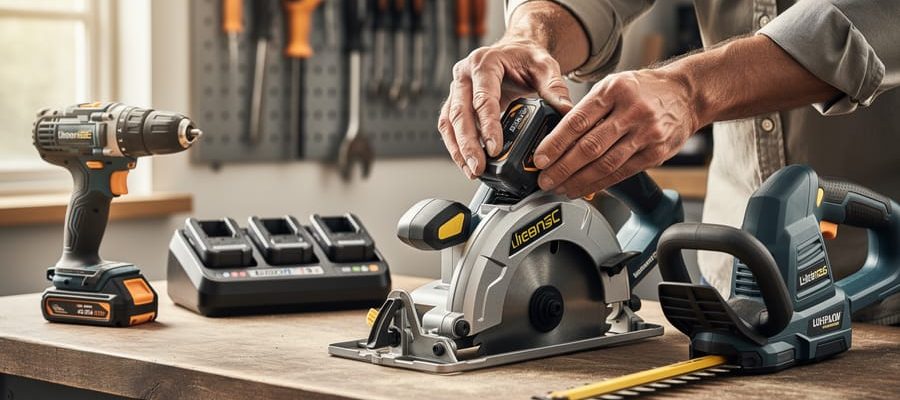

Fingerprint scanners, facial recognition, and iris readers are transforming how contractors and tool hire businesses protect valuable equipment from theft and unauthorized access. These biometric access control systems use unique physical characteristics to verify identity, eliminating the security gaps that come with lost keys, forgotten codes, or shared passwords. For tool hire operators managing fleets worth thousands of pounds, the technology offers unprecedented accountability by creating automatic digital records of exactly who accessed which tools and when.
The stakes are high. Tool theft costs the construction industry over £800 million annually in the UK alone, with traditional lock-and-key systems proving increasingly inadequate against determined thieves. Biometric systems create an unbreakable link between the person and the access event, making it impossible for unauthorized users to borrow credentials or claim someone else used their access card.
This technology isn’t just for large corporations anymore. Compact, affordable biometric locks now suit everyone from independent contractors securing van inventory to community tool libraries managing member access. The systems integrate with existing inventory management software, automatically logging tool checkouts and returns while flagging unusual patterns that might indicate theft or misuse.
Understanding how these systems work, what they cost, and whether they suit your specific security needs requires cutting through marketing hype to examine real-world performance. This guide breaks down the practical considerations that matter most to tool professionals and serious DIY enthusiasts evaluating biometric security investments.
What Is Biometric Access Control for Tools?
Biometric access control for tools is a security technology that uses your unique physical characteristics to determine who can use specific equipment. Think of it like unlocking your smartphone with your fingerprint or face, but instead of accessing your phone, you’re gaining permission to use power tools, machinery, or entire tool storage areas.
The technology works by scanning and storing biological identifiers that are unique to each person. The most common types include fingerprint scanners, facial recognition cameras, iris scanners, and even hand geometry readers. When you want to access a tool, the system scans your biometric data and compares it to stored profiles. If there’s a match, access is granted. If not, the tool remains locked or the storage cabinet stays secured.
For tool security specifically, this means you can prevent unauthorized use of expensive equipment, track who used what tool and when, and eliminate the hassle of managing physical keys or remembering PIN codes. A construction site manager, for example, might set up fingerprint access on high-value tools so only trained team members can operate them. Similarly, tool rental businesses can ensure customers only access the specific items they’ve paid for.
The beauty of biometric systems is that you can’t lose your fingerprint or forget your face at home. Your credentials are always with you, making tool access both more secure and more convenient. While the technology might sound complex, modern systems are designed to be user-friendly, with most requiring just a quick scan that takes less than a second to verify your identity.
Why Traditional Tool Security Falls Short
For decades, workshops and tool storage have relied on traditional security measures, but these conventional methods come with significant vulnerabilities that become apparent once you’ve experienced the frustration firsthand.
Keys and padlocks remain the most common protection method, yet they create a cascade of problems. Keys get lost, duplicated without permission, or end up in the wrong hands. One community member shared how a single misplaced key to their tool cabinet resulted in thousands of dollars worth of equipment disappearing overnight. Even when keys don’t go missing, there’s no way to track who accessed your tools or when.
PIN codes and combination locks offer slight improvements over physical keys, but shared codes quickly become public knowledge. In busy workshops or rental environments, codes get passed around informally, written on sticky notes, or simply observed by anyone standing nearby. Once compromised, changing codes across multiple locks becomes a time-consuming headache.
The lack of usage tracking presents another critical weakness. Traditional security gives you a simple yes or no: either the lock is engaged or it isn’t. You cannot identify which team member borrowed that specific drill, when they took it, or whether they returned it. This absence of accountability makes managing inventory nearly impossible and resolves disputes difficult.
For professional tradespeople managing valuable equipment or tool hire businesses tracking multiple users, these limitations translate directly into lost revenue, wasted time, and constant security concerns. The inability to generate usage reports or revoke access instantly when someone leaves your team leaves significant gaps in your security strategy.
Types of Biometric Systems for Tool Protection
Fingerprint Recognition Systems
Fingerprint recognition systems have become the go-to choice for securing valuable tools and equipment, and for good reason. These systems work by scanning the unique ridges and patterns on your fingertip, converting them into a digital template that’s stored in the device’s memory. When you place your finger on the scanner again, it compares the new scan against stored templates to grant or deny access within milliseconds.
Modern fingerprint scanners boast impressive accuracy rates of 99% or higher, making false accepts extremely rare. The technology has improved dramatically over the past few years, with many systems now working reliably even with dirty or slightly damaged fingers, which is particularly important in workshop environments.
For practical applications, you’ll find fingerprint-enabled lockboxes perfect for storing hand tools, power tool batteries, and small equipment. Larger storage cabinets equipped with this technology provide excellent security for jobsite tool storage, while equipment cages in shared workshops benefit from the audit trail these systems create, showing exactly who accessed what and when.
What users particularly appreciate is the elimination of keys or codes that can be lost, shared, or forgotten. According to community feedback, tradespeople value the speed of access during busy workdays, while workshop managers praise the accountability these systems bring to shared tool environments.
Facial Recognition Technology
Facial recognition technology represents a truly hands-free solution for accessing tool rooms and storage areas, making it particularly valuable in workshop environments. Instead of fumbling with cards or stopping to scan fingerprints, the system identifies authorized users by their facial features as they approach, granting instant access without physical contact.
This technology shines in dusty workshops or when workers are wearing gloves, safety equipment, or carrying tools with both hands. Unlike fingerprint scanners that struggle with dirty or gloved fingers, facial recognition works regardless of what’s on your hands. Many tradespeople report that this convenience actually improves compliance with access protocols since there’s no reason to prop doors open or share access codes.
Modern systems use advanced algorithms to recognize faces even with safety glasses, hard hats, or dust masks, though accuracy can vary between brands. The technology continues improving rapidly, with current systems boasting recognition speeds under two seconds. Installation typically requires mounting a camera unit at entry points and connecting it to your access control network. While generally more expensive than fingerprint systems, the hands-free operation and reduced wear from physical contact can justify the investment for high-traffic tool cribs and rental facilities.
Iris and Retinal Scanning
Iris and retinal scanning represent the most secure biometric options available, but they come with significant cost considerations that put them beyond most tool rental applications. These systems work by capturing the unique patterns in your eye—either the colored iris or the blood vessel patterns in your retina—creating an extremely accurate identification method that’s nearly impossible to forge.
You’ll typically find iris or retinal scanners protecting high-value assets in industrial settings, such as precision equipment worth hundreds of thousands of dollars, controlled pharmaceutical storage, or specialized machinery requiring strict access logs for liability purposes. For standard tool hire operations, the investment rarely makes practical sense. Expect costs ranging from $2,000 to $5,000 per scanner, plus installation and ongoing maintenance.
The technology requires users to position their eye close to the scanner, which some find uncomfortable or invasive. Unless you’re securing exceptionally valuable inventory or need government-level security compliance, fingerprint or facial recognition systems offer better value for tool protection. Consider iris scanning only when insurance requirements, regulatory compliance, or the extreme value of your equipment justifies the premium price tag.
Multi-Modal Systems
Multi-modal systems combine two or more biometric methods, such as fingerprint plus facial recognition, to verify identity. This layered approach dramatically reduces false access risks because someone would need to fake multiple biological traits simultaneously. For high-value tool collections worth thousands of pounds or professional workshops storing specialized equipment, this extra security layer makes practical sense. Think of it like having both a deadbolt and an alarm system rather than just one lock. However, multi-modal systems cost more upfront and take slightly longer to authenticate users. Most DIY enthusiasts won’t need this level of protection for standard home workshops, but professional contractors managing expensive inventory or tool hire businesses with premium equipment should seriously consider it. The investment pays off through theft prevention and detailed access tracking.
Real-World Applications: Where This Technology Makes Sense
Tool Hire and Rental Businesses
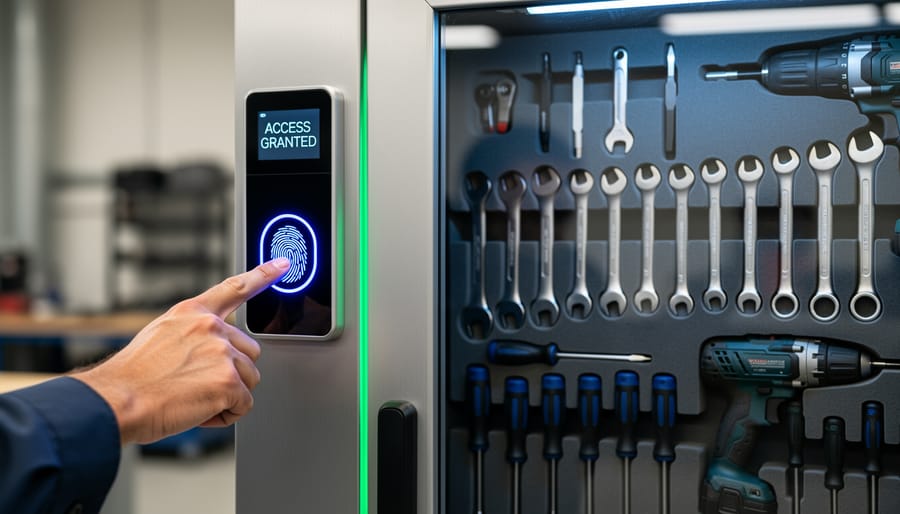
For tool hire and rental businesses, biometric access control systems solve a persistent challenge: knowing exactly who accessed which equipment and when. Instead of relying on paper logs or key-based systems that can be shared or misplaced, fingerprint or facial recognition scanners create an unchangeable record tied to individual employees or customers.
The checkout process becomes remarkably straightforward. When a customer or team member needs a tool, they simply scan their fingerprint at the storage area. The system instantly logs their identity, the specific item taken, and the timestamp. This eliminates confusion over missing tools and makes it easy to track who has what equipment at any given moment.
Theft reduction is one of the most significant benefits reported by businesses using these systems. Because access requires biometric verification, unauthorized individuals cannot simply walk into storage areas, even if they obtain access cards or keys. Many rental shop owners report seeing their loss rates drop considerably after installation.
The technology also streamlines end-of-day reconciliation. Rather than manually checking clipboards against returned equipment, managers can pull digital reports showing all transactions. This saves hours of administrative work weekly while providing accurate data for billing and inventory management decisions.
Construction Sites and Job Sites
Construction sites face unique security challenges when multiple contractors share workspace and equipment. Biometric access control systems offer a practical solution for tracking who uses what tools and when, dramatically reducing theft and unauthorized access.
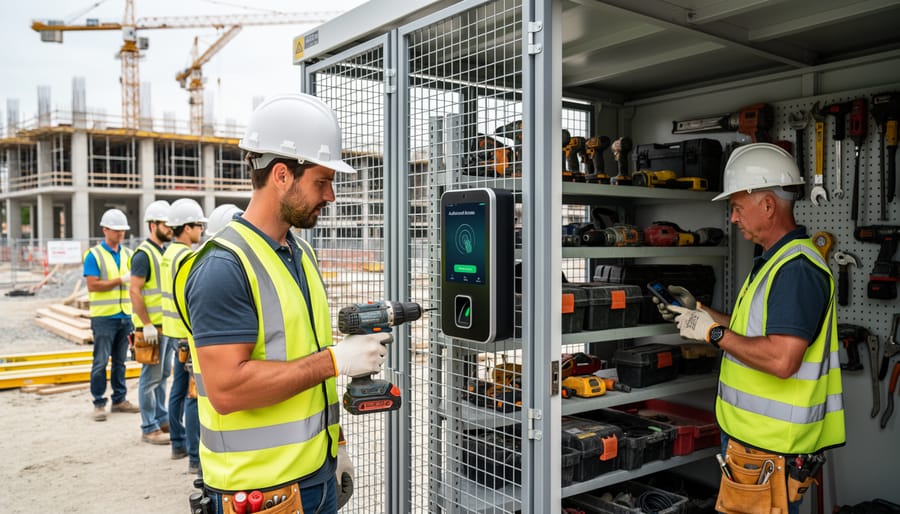
Here’s how it works on active job sites: contractors register their fingerprints or palm prints in the system, which then controls access to tool cages, storage containers, and equipment yards. Unlike keys or codes that get shared, biometric credentials stay with the individual. This creates an automatic audit trail showing exactly who accessed expensive equipment protection and shared tools throughout the day.
Site managers particularly appreciate the accountability factor. When a drill goes missing, you can check who last accessed the storage area. This transparency discourages “tool borrowing” between crews and helps identify genuine theft quickly.
The technology also streamlines operations. Workers access what they need without hunting down supervisors for keys, while managers monitor usage patterns to optimize tool inventory. Many systems integrate with existing site management software, providing real-time equipment tracking.
User feedback from construction sites consistently highlights reduced tool loss and improved contractor relationships as major benefits. The initial investment typically pays for itself within months through prevented theft alone.
Professional Workshops and Garages
For professional workshops and shared garage spaces, biometric access control transforms how teams manage valuable equipment. Rather than distributing keys or remembering codes, fingerprint or facial recognition systems create an automatic audit trail of who accessed specific tools and when. This accountability matters when expensive welding equipment, diagnostic tools, or precision machinery goes missing or gets damaged.
Many workshop owners report that implementing biometric systems reduces unauthorized borrowing between shifts and helps identify who last used equipment requiring maintenance. The technology works particularly well for controlling access to hazardous tool areas, ensuring only certified team members can reach power tools or chemical storage.
Real workshop users note that enrollment takes just minutes per person, and the systems typically store backup power for continued access during outages. While initial costs run higher than traditional locks, the elimination of rekeying expenses and improved equipment lifecycle tracking often justify the investment within the first year. Consider systems offering multiple authentication methods as backup, since cuts or dirt on fingers can occasionally cause reading issues in dusty workshop environments.
Key Benefits Beyond Security
Automatic Usage Tracking and Inventory Management
One of the most practical benefits of biometric access control is how it automatically creates a detailed log every time someone accesses a tool or storage area. Think of it as having a reliable digital assistant that never forgets to write things down. Each fingerprint scan or facial recognition check-in records who took which tool and exactly when, creating an audit trail without anyone needing to fill out paperwork or sign checkout sheets.
This automatic logging transforms how you manage tool maintenance. When a power drill is due for servicing, the system shows you precisely how many hours it’s been used and by whom, making it easier to schedule preventive maintenance before breakdowns occur. For tool hire businesses, this data is invaluable for understanding usage patterns and planning equipment purchases.
The system also quickly identifies missing equipment. If a tool hasn’t been returned, you’ll know immediately who last accessed it, eliminating the guesswork and awkward conversations about lost items. Many modern biometric systems integrate seamlessly with digital tracking systems, providing real-time inventory updates across multiple locations. This combination of biometric security and automated tracking helps reduce tool loss, streamlines operations, and keeps your valuable equipment working longer.
Accountability and Responsibility
When users know their biometric data is logged with each tool checkout, it fundamentally changes behavior. This tracked access creates natural accountability, encouraging more careful handling of equipment. In shared workshop environments or rental businesses, this transparency means individuals think twice before rushing through proper procedures or skipping recommended safety checks.
The psychological impact is significant. Users become more mindful about returning tools on time, reporting damage immediately, and following proper usage guidelines when they understand their interactions are recorded. This isn’t about surveillance but fostering a culture of shared responsibility and care for communal resources.
The practical benefits are measurable too. Businesses report reduced replacement costs and fewer incidents of careless handling once biometric tracking is implemented. For tool libraries and rental operations, this means equipment lasts longer and maintenance costs drop. Users appreciate this system as well, as it protects them from being blamed for damage they didn’t cause, since access logs provide clear evidence of who used specific tools and when.
Insurance and Liability Protection
Implementing biometric access control creates a detailed digital paper trail of who accessed what equipment and when. This documentation can significantly reduce your insurance premiums, as insurers view verifiable access logs as a strong deterrent against theft and misuse. Many commercial policies offer discounts of 10-20% when robust security measures are documented. Beyond cost savings, these timestamped records become invaluable if you need to file a claim or defend against liability disputes. If a customer alleges improper equipment condition or timing issues, your access logs provide concrete evidence. The system essentially creates an impartial witness that tracks every interaction with your tools. When discussing coverage with your insurer, ask specifically about biometric system discounts and share your access control features. Keep backup copies of your access logs in secure cloud storage, as this data protection demonstrates professional risk management and can expedite claim processing considerably.
What to Consider Before Installing a Biometric System
Cost vs. Value of Your Tool Collection
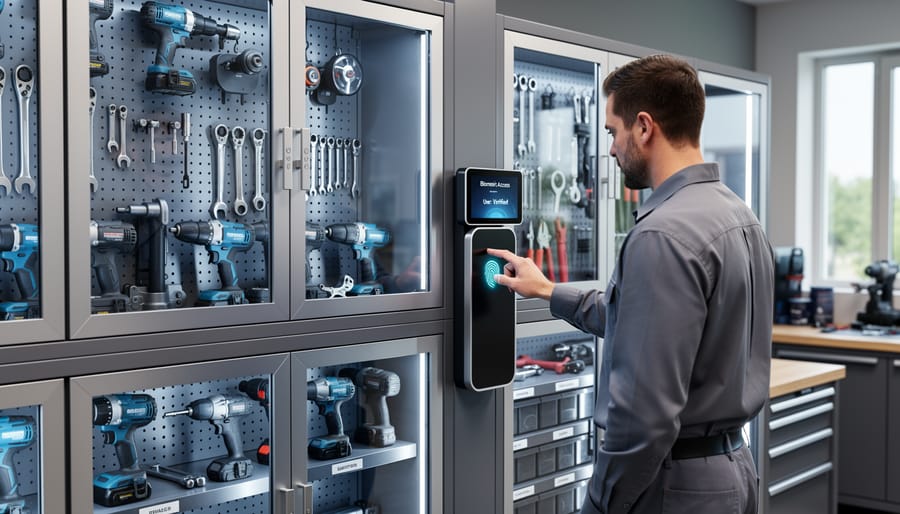
Before investing in a biometric access control system, run a simple cost-benefit analysis. Start by calculating your total tool inventory value. Include everything from power tools to specialized equipment. Next, research replacement costs if theft or loss occurred, remembering that some tools may no longer be available or have increased in price.
Compare this figure against the system’s cost, typically ranging from £200 for basic setups to £2,000+ for commercial-grade systems. Factor in installation expenses and any ongoing subscription fees for cloud-based features.
As a general guideline, if your tool collection exceeds £1,500 in value, a biometric system often pays for itself after preventing just one theft incident. Professional tradespeople with inventories worth £5,000+ usually see returns within the first year through reduced insurance premiums and eliminated replacement costs.
Don’t forget hidden savings. Many users report that biometric systems reduce time spent searching for misplaced tools and eliminate disputes over who borrowed what. Check your insurance policy too, as some providers offer discounts for verified security measures, offsetting your initial investment.
Environmental Factors
Biometric sensors operate best in controlled indoor environments, but workshop and outdoor tool storage locations often present challenging conditions. Dust, moisture, and temperature extremes can interfere with fingerprint readers and facial recognition cameras, reducing accuracy and system reliability.
For dusty workshop environments, look for systems with an IP (Ingress Protection) rating of at least IP65, which indicates dust-tight seals and resistance to water jets. This rating ensures the scanner can handle sawdust, metal shavings, and general workshop debris. Fingerprint readers with capacitive sensors tend to perform better than optical scanners in dusty conditions because they read beneath surface contaminants.
Outdoor installations require weatherproof housings rated IP66 or higher, along with temperature tolerance suitable for your climate. Some manufacturers offer heated enclosures for cold weather performance. Rain and humidity can affect all biometric types, so consider adding protective overhangs or recessed mounting positions.
User reviews consistently highlight that regular cleaning maintains performance in harsh environments. Keep lens wipes and compressed air handy for maintenance. Many tradespeople report success with hybrid systems that offer both biometric and PIN code backup, ensuring access even when environmental conditions temporarily compromise sensor accuracy.
Integration with Existing Systems
Most biometric systems are designed to work alongside your current setup rather than requiring a complete overhaul. The good news is that many modern solutions integrate with popular inventory management software and security platforms through standard protocols like REST APIs or cloud-based connections. If you’re already tracking tools digitally, look for biometric systems that can sync with your existing database—this means user profiles and access logs update automatically across all platforms.
For physical integration, consider how the biometric reader will connect to your tool storage. Standalone cabinet locks typically work with any locked storage unit, while integrated systems may require specific mounting hardware. Many devices connect via WiFi or Bluetooth, eliminating complicated wiring that disrupts your workspace layout.
Check compatibility with your current workflow too. Can employees still clock in and out quickly? Will the system slow down tool handoffs during busy periods? The best implementations feel seamless to users. Community feedback consistently highlights that systems requiring minimal training and offering mobile app access see faster adoption rates. Before purchasing, request a trial period or demonstration to verify the system meshes with your daily operations without creating bottlenecks.
User Training and Acceptance
Successfully implementing a biometric access control system depends on getting everyone comfortable with the technology. Start by explaining how the system works and why it benefits the entire team—emphasizing convenience over surveillance. Address privacy concerns upfront by clarifying what data is stored (typically encrypted templates, not actual fingerprints or photos) and who has access to it.
Schedule hands-on demonstrations where users can enroll their biometrics and practice access multiple times. This builds confidence and reduces frustration during the initial rollout. Create simple visual guides near access points showing proper fingerprint placement or facial positioning for those first few weeks.
Collect feedback early and often. Community reviews consistently show that systems with strong user training systems have much higher adoption rates. Consider appointing a system champion—someone comfortable with technology who can troubleshoot common issues and encourage hesitant users.
For families, involve everyone in the setup process, letting kids understand the security benefits while respecting their comfort levels. Remember, smooth adoption comes from patience and clear communication, not forcing compliance.
Installation Options: DIY vs. Professional Setup
Choosing between DIY installation and professional setup depends largely on your system type and technical comfort level. Consumer-grade biometric locks, like fingerprint deadbolts or keypad units, are generally straightforward for competent DIYers. These standalone systems typically replace existing door hardware and require only basic tools: a screwdriver, drill, and perhaps a hole saw. Expect to spend 1-3 hours on installation, with costs ranging from $150-$400 for the unit itself.
The difficulty level sits around 3 out of 10 for most home improvement enthusiasts. You’ll need to ensure proper door thickness compatibility (usually 1-3/8″ to 1-3/4″), align the lock mechanism correctly, and follow wiring instructions for battery-powered models. Most manufacturers provide clear video tutorials and step-by-step guides. Community forums often feature user-generated installation experiences highlighting common pitfalls like misaligned strike plates or loose mounting screws.
Professional installation becomes essential for comprehensive access control systems managing multiple entry points, especially in commercial tool hire facilities or workshops. These integrated systems connect to central management software, require network configuration, and often involve running cables through walls. Professional installers charge between $500-$2,000 for labor alone, depending on system complexity and the number of access points.
Call in experts when your project involves any of these scenarios: integrating with existing security systems, managing more than three access points, requiring specialized tools for commercial-grade hardware installation, or needing compliance with specific insurance or regulatory standards. Many tool hire businesses find that professional installation pays for itself through proper configuration that prevents future troubleshooting headaches.
For workshop security, a middle-ground approach works well: install consumer-grade biometric locks yourself on tool storage cabinets and secondary doors, then hire professionals for main entry points requiring advanced features like audit trails or remote management. This balances cost control with reliable security where it matters most.
Always review manufacturer warranties carefully, as some void coverage if professional installation isn’t documented. Community-driven reviews consistently highlight this often-overlooked detail.
Common Concerns and How to Address Them
What Happens If the System Fails?
Even the most reliable biometric systems need backup plans. Most systems include alternative access methods like PIN codes, physical keys, or RFID cards that override the biometric reader when needed. These backup options prove essential during power outages, though many quality systems feature battery backups that maintain operation for several hours.
During emergencies, administrators can trigger override protocols remotely or through manual controls, ensuring no one gets locked out during critical situations. Regular users appreciate knowing their facility manager can grant temporary access if their fingerprint reader malfunctions or if their hands are injured or dirty.
Power failures typically cause systems to either fail-secure (remaining locked) or fail-safe (unlocking automatically). For tool storage areas, fail-secure mode protects valuable equipment, while fail-safe suits emergency exits. Community feedback suggests testing your chosen system’s failure mode matches your security priorities before installation. Keep backup access credentials in a secure but accessible location, and train at least two staff members on emergency procedures to prevent lockouts that could halt operations.
Privacy and Data Security
Biometric data storage varies by system—some store information locally on the device itself, while others use cloud-based servers. Look for systems that encrypt fingerprint or facial recognition data, converting it into a mathematical template rather than storing actual images. This means even if someone accesses the database, they can’t recreate your physical biometric features.
Access to this data should be strictly limited. In professional settings, designate one or two administrators who control user permissions and audit logs. Many systems now include cybersecurity protection features like two-factor authentication for administrative access.
For data privacy, ensure your system complies with Australian Privacy Principles. Check if the manufacturer regularly updates security patches and offers data deletion options when employees leave. User reviews often highlight which systems take privacy seriously versus those with vulnerabilities, so consult your community before purchasing.
False Rejections and System Reliability
No biometric system is perfect. False rejection rates (FRR) measure how often authorized users are wrongly denied access—typically 1-3% for quality systems. Dirty fingers, cuts, or poor lighting can trigger false rejections. To minimize disruptions, implement backup authentication methods like PIN codes or physical keys. Position scanners in well-lit areas and keep them clean. Most systems allow multiple biometric enrollments per user (different fingers or backup scans), which significantly reduces lockout issues. Regular maintenance and user training on proper scanning technique ensure reliable access. Check community reviews to learn how systems perform in real workshop conditions before investing.
Biometric access control systems offer compelling security benefits, but they’re not the right solution for everyone. The decision ultimately comes down to your specific circumstances: the value of your tool collection, the number of people who need access, and whether you’re managing tools in a business setting or securing a personal workshop.
For professional contractors with high-value equipment, tool hire businesses managing inventory, or shared workshop spaces, the investment often makes perfect sense. The combination of theft deterrence, accountability tracking, and elimination of lost keys can quickly justify the initial costs. However, if you’re a homeowner with a modest tool collection in a secure garage, traditional locks paired with good insurance might be more practical.
Before making your decision, honestly assess your security risks, budget constraints, and how comfortable you are with the technology. Start by evaluating what you’re actually trying to protect and who legitimately needs access. Consider whether simpler solutions like quality padlocks or smart locks might meet your needs first.
We’d love to hear from our community about your experiences with tool security. Have you implemented biometric systems in your workshop or business? What challenges did you face, and was the investment worthwhile? Perhaps you’ve found alternative security solutions that work brilliantly for your situation. Share your insights in the comments below to help others make informed decisions about protecting their valuable tools and equipment.
Related Posts

Post a Comment