
Platform payments on Tool Hire have evolved to give you faster access to your funds, clearer transaction tracking, and stronger buyer-seller protection. If you’ve noticed changes to how money moves through your rental transactions, you’re adapting to our updated payment infrastructure designed around feedback from thousands of community members who requested more transparency and security.
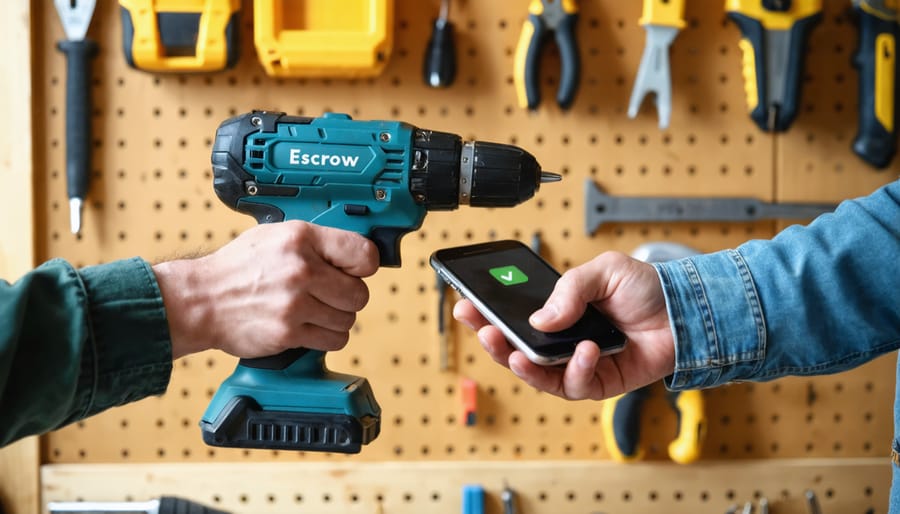
The new system processes payments directly through escrow, holding funds until the renter confirms they’ve received the tool in good condition. This protects tool owners from non-payment while giving renters confidence their money stays secure until delivery. For owners, payouts now arrive within 24 hours of rental completion instead of the previous 3-5 day wait. Renters benefit from instant payment confirmation and detailed receipts that break down rental fees, insurance costs, and any damage deposits.
Understanding these mechanics matters because they affect when you receive money, how disputes get resolved, and what information appears in your transaction history. Whether you’re renting out your professional-grade equipment or booking tools for a weekend project, knowing exactly how platform payments function eliminates confusion and helps you plan your rentals with confidence. This guide walks you through every step of the updated payment process, addresses the most common questions we’ve received, and shares real experiences from community members navigating these changes.
What Are Platform Payments?
How Money Flows Through the System
When you book a tool rentals through our platform, understanding the payment journey helps set clear expectations. Here’s how your money moves through the system:
First, when a renter confirms a booking, the payment is processed immediately through our secure payment gateway. However, the funds aren’t released to the tool owner straight away. Instead, they’re held in a secure escrow account to protect both parties.
During the rental period, the funds remain in this holding pattern. This ensures the renter receives the tool as described and the owner gets paid for legitimate bookings.
Once the rental is completed and the tool is returned, a verification period begins. This typically lasts 24-48 hours, allowing time for the owner to inspect the equipment and confirm everything is in order. During this window, either party can raise concerns about damage or rental disputes.
After the verification period passes without issues, the payment is automatically released to the tool owner’s account. Owners can then transfer funds to their bank account, which usually takes 1-3 business days depending on their financial institution.
If any disputes arise, the payment remains held until resolution is reached through our support team.
Protection for Both Renters and Owners
Platform payments include robust safeguards designed to protect everyone involved in tool rentals. When you book a tool, payment is securely held by the platform rather than going directly to the owner. This means renters aren’t charged until the rental begins, and owners receive payment only after the tool is successfully collected or delivered.
Damage deposits work similarly—they’re held in escrow during the rental period and automatically released back to renters once the owner confirms the tool’s return in good condition. This system prevents disputes about deposit returns and ensures fair treatment for both parties.
If issues arise during a rental, the platform’s dispute resolution process steps in. Both renters and owners can submit evidence through their accounts, and the platform reviews all documentation before releasing payments or deposits. This neutral intermediary approach means you’re not left negotiating payment terms directly, which can be uncomfortable and risky.
The payment hold system also protects owners from cancellations, as cancellation fees are automatically processed according to the booking timeline. Meanwhile, renters are safeguarded against no-shows, with automatic refunds issued if an owner doesn’t fulfill their commitment. These built-in protections create accountability and peace of mind for the entire community.
What’s New in Our Payment System
Faster Processing Times
One of the most noticeable improvements with the updated platform payments system is how quickly transactions now process. When you rent a tool, payment confirmation typically appears within seconds of completing your booking, compared to the previous 2-3 minute wait. This instant confirmation means you can collect your rental immediately without uncertainty about whether your payment went through.
For tool owners, payout processing has also accelerated significantly. Standard payouts now reach your nominated bank account within 1-2 business days after a rental completes, down from the previous 3-5 day window. Several factors influence these timeframes: bank processing schedules, whether rentals finish on weekdays versus weekends, and your selected payout method. Direct bank transfers process faster than alternative payment methods. If you notice delays beyond these timeframes, it’s worth checking that your payment details are current and verified in your account settings, as incomplete verification can trigger additional security checks that slow processing.
More Payment Options
We’ve expanded our payment options to give you more flexibility when renting tools or receiving payments for your listings. The platform now accepts all major credit and debit cards (Visa, Mastercard, American Express), popular digital wallets including PayPal, Apple Pay, and Google Pay, plus direct bank transfers for larger transactions.
To set your preferred payment method, log into your account and navigate to Settings, then Payment Methods. Here you can add multiple options and mark one as your default for faster checkouts. Renters will see all available payment types at checkout, while tool owners can specify which methods they’re willing to accept in their listing preferences.
Digital wallets offer the quickest processing times, typically completing within seconds, while bank transfers may take 1-3 business days but work well for high-value equipment rentals. All payment methods include the same buyer and seller protections, and transaction fees remain consistent across options to keep things straightforward for everyone in our community.
Updated Fee Structure
We’ve simplified our fee structure to make costs more transparent for everyone. As a renter, you’ll now pay a flat 8% service fee on each booking, down from the previous tiered system that ranged from 8-12%. This fee covers payment processing, insurance, and customer support throughout your rental period.
For tool owners listing equipment on the platform, the commission remains at 15% per completed rental. This covers listing visibility, secure payments, damage protection, and platform maintenance.
Here’s a practical example: If you rent a pressure washer listed at £40 per day for a weekend (two days), you’d pay £80 for the rental plus a £6.40 service fee, totaling £86.40. The tool owner receives £68 after the platform commission.
Transaction costs are now absorbed into these fees—you won’t see separate charges for payment processing. All fees are displayed upfront during checkout, so there are no surprises. The breakdown appears clearly on your booking confirmation and receipt, helping you understand exactly what you’re paying for and why.
How to Make a Payment as a Renter
Security Deposits and Damage Protection
When you rent equipment through the platform, you’ll typically be asked to authorize a security deposit that’s held temporarily on your payment method. This amount varies depending on the tool’s value and rental duration—you can see the exact deposit amount before confirming your booking. The platform holds this deposit as protection for tool owners in case equipment is damaged, lost, or returned late.
Once you return the tool in good condition and on time, the deposit is automatically released back to your account. Most users see these funds returned within 3-5 business days, though the exact timing depends on your bank or card issuer. You’ll receive a notification confirming when the deposit has been released.
If equipment is damaged during your rental period, the tool owner will document the issue through photos and a damage report. The platform reviews these claims to determine fair resolution costs, which may be deducted from your deposit. Minor wear and tear from normal use isn’t charged—the system distinguishes between expected use and actual damage requiring repair.
Late returns trigger automatic fees calculated per day, which are also deducted from your deposit. Many community members recommend setting reminders before your return deadline to avoid these charges. If you need extra time, contact the owner directly through the platform’s messaging system to request an extension before your rental period ends.
Getting Paid as a Tool Owner

Setting Up Your Payout Method
Getting your payout method set up correctly ensures you receive your rental earnings smoothly. Here’s how to get started.
First, navigate to your account settings and select “Payout Settings.” You’ll have two primary options: direct bank transfer or payment processor integration. For bank transfers, you’ll need your account number, routing number, and account holder name exactly as it appears on your bank statements. Payment processors like PayPal or Stripe require you to link your existing account or create a new one through our platform.
Verification is essential for security. You’ll need to provide identification documents such as a driver’s license or passport, and proof of address like a recent utility bill. This process typically takes 1-3 business days. You’ll receive an email confirmation once verification is complete.
Common setup issues include mismatched names between your platform profile and bank account, or expired identification documents. If your verification fails, double-check that all information matches exactly. Many users in our community forums have noted that bank account nicknames don’t work—you must use the official registered account name.
If you’re experiencing delays beyond three business days, contact our support team with your verification reference number. They can identify specific issues blocking your approval and guide you through corrections.
Common Payment Issues and How to Solve Them
Even with a reliable platform, payment hiccups can happen. Here’s how to tackle the most common issues you might encounter.
Declined payments typically occur due to insufficient funds, expired cards, or your bank’s fraud protection flagging an unfamiliar transaction. First, verify your card details are current and your account has adequate funds. If everything checks out, contact your bank to authorize the payment—sometimes they block legitimate transactions as a precaution. You can also try an alternative payment method through your account settings.
Delayed payouts for tool owners usually process within 2-3 business days after a rental completes, but bank processing times vary. Check your payout schedule in your account dashboard to confirm the expected date. If it’s been longer than five business days, review whether your banking information is correct and complete. Missing or outdated details are the most common culprit. For unresolved delays, reach out to platform support with your transaction reference number.
Incorrect charges should be addressed immediately. Review your rental agreement and invoice to confirm dates, rates, and any additional fees like damage charges or late returns. If you spot a genuine error, document it with screenshots and contact customer support within 48 hours. The platform can investigate and process refunds when warranted. Remember that authorization holds (temporary charges that appear but don’t finalize) typically release within 7-10 days.
Missing deposits happen occasionally due to technical glitches or incorrect account information. Double-check your payment history in your dashboard—sometimes transactions process under different names. If a deposit you made doesn’t appear within 24 hours, contact support with your payment confirmation and they’ll trace it.
For any persistent issues, the community forums are valuable—other users often share solutions that worked for them.
What the Community Is Saying
Early adopters of the updated payment system have shared overwhelmingly positive feedback, with many praising the streamlined checkout process and faster transaction times. “The new system cut my booking time in half,” noted long-time user Sarah M., who regularly rents power tools for home renovation projects. Professional tradies have particularly welcomed the saved payment methods feature, eliminating repetitive data entry when booking multiple pieces of rental equipment.
Some users initially expressed concerns about payment security during the transition period. The platform quickly addressed these worries through detailed FAQ updates and direct support responses, confirming that all transactions remain encrypted and PCI-compliant. A small number of users reported temporary issues with payment method verification, though support teams resolved most cases within 24 hours.
Tool owners listing equipment have noted improved clarity in payout tracking, with the new dashboard providing real-time updates on pending and completed payments. The community feedback has been instrumental in identifying minor bugs, which the development team continues to address through regular patches.

Our updated platform payment system delivers better security, faster processing times, and greater transparency for everyone in the Tool Hire community. Whether you’re renting equipment for a weekend project or listing your tools to earn extra income, these improvements make transactions smoother and more reliable. We’ve listened to your feedback and designed these features with your needs in mind, from clearer payment breakdowns to simplified refund processes.
Take a few minutes to explore the new payment dashboard and familiarize yourself with the updated features. Most users find the interface intuitive, but if you run into any questions or need assistance, our support team is ready to help. You can reach us through the in-app chat, browse our help center for detailed guides, or connect with fellow users in our community forums where experienced members often share helpful tips. Your experience matters to us, and we’re committed to making every transaction as straightforward as possible.
Related Posts


Post a Comment