
Track every rented tool with a simple spreadsheet or mobile app that logs pickup dates, return deadlines, and daily costs. Set automated calendar reminders 24 hours before each return date to avoid late fees that can double your rental expenses. Photograph equipment condition at pickup and return, storing images with rental receipts in a dedicated cloud folder to resolve any damage disputes.
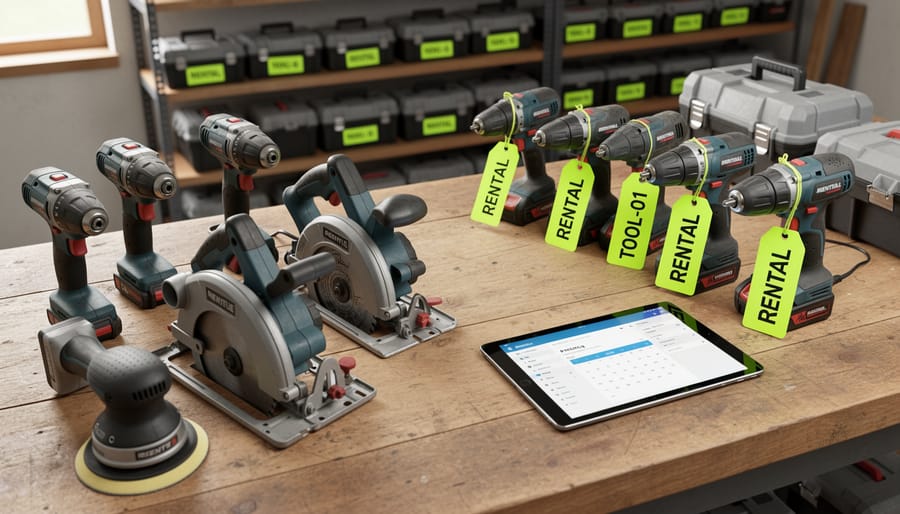
Create a master inventory system that separates owned tools from rented ones, marking rental items with bright tags or labels to prevent accidental mixing with your personal collection. This visual distinction stops you from returning your own equipment or keeping rentals past their due date. Update this inventory immediately after each transaction, not at the end of the week when details blur together.
Calculate the break-even point for frequently rented items by dividing purchase price by daily rental cost. When you rent the same tool three or four times, buying often costs less than continued rentals. Document these patterns in your tracking system to identify smart purchase opportunities that reduce long-term expenses.
Organize return logistics by grouping tools from the same rental company and scheduling pickups on the same trip. Map out efficient routes between rental locations and job sites using GPS apps, cutting down on fuel costs and wasted time. Block specific days for returns rather than scrambling last-minute, which leads to forgotten items and penalty charges.
These straightforward strategies transform chaotic rental experiences into controlled, cost-effective operations. You maintain visibility over equipment location, spending, and deadlines without complex software or corporate-level systems.
What Online Asset Management Actually Means (And Why You Need It)
If you’ve ever rented a power drill for a weekend project only to panic about the return date, or lost track of which mate borrowed your circular saw, you’ve already experienced the problem online asset management solves. At its core, asset management simply means keeping organized records of your tools and equipment—what you have, where it is, and when you need to return or retrieve it.
In the context of tool hire, online asset management takes this basic concept digital. Instead of relying on paper receipts stuffed in drawers or vague memories about rental dates, digital systems give you a centralized place to track everything. Think of it as a command center for your tools, whether you’re renting them short-term or managing your own growing collection.
Here’s what online asset management typically includes:
Rental tracking: Digital records of what you’ve hired, from whom, pickup dates, and crucially, return deadlines. This prevents those dreaded late fees that can quickly add up.
Equipment inventory: A catalog of tools you own, complete with purchase dates, warranty information, and maintenance schedules. No more buying duplicate tools because you forgot you already had one buried in the shed.
Project timelines: Linking specific tools to particular jobs helps you plan ahead and ensures you have everything ready when you need it.
Cost monitoring: Seeing exactly how much you’re spending on rentals can reveal whether investing in your own equipment makes more financial sense through a hiring business model.
For DIYers and tradespeople alike, these digital systems transform scattered information into actionable insights, reducing stress and saving money along the way.
The Real Cost of Poor Tool Tracking
Hidden Rental Penalties That Add Up Fast
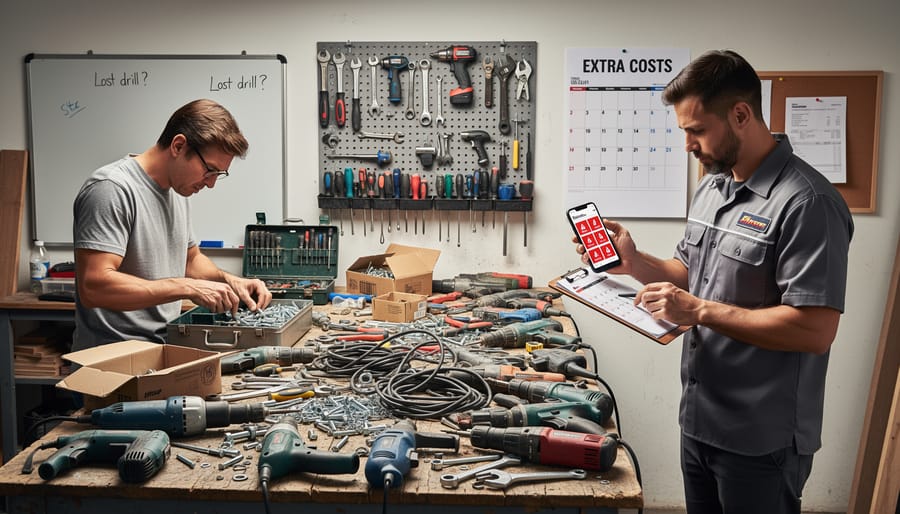
Late fees accumulate faster than most people realize when renting tools. What starts as a simple one-day hire can balloon into serious charges if you forget the return deadline. For example, a pressure washer rented at $45 per day might seem reasonable, but keeping it an extra three days unintentionally adds $135 to your bill. Many equipment rental yards charge full daily rates for late returns, with some implementing penalty multipliers after 24 hours.
The problem compounds when you’re managing multiple rentals simultaneously. One DIYer shared how they lost track of a tile cutter during a bathroom renovation while juggling other rented equipment. The overlooked return date resulted in $200 in extra charges for a tool they’d finished using days earlier. Similarly, misplacing rental agreements means you can’t verify return dates or daily rates, leaving you vulnerable to disputes.
Without a tracking system, these penalties become inevitable. Even professional tradespeople report losing hundreds annually to avoidable late fees simply because paperwork gets buried under job site chaos or return reminders get missed among dozens of daily notifications.
When You Buy What You Already Own
We’ve all been there: standing in the hardware store aisle, buying a drill bit or hammer you’re certain you already own but simply cannot find. For homeowners and occasional DIYers, this scenario is frustratingly common and expensive. Studies suggest the average household spends hundreds annually on duplicate tool purchases.
The root cause? Poor asset tracking. Without a system to catalog what you own and where it’s stored, tools migrate between the garage, shed, basement, and various project sites. That torque wrench you used once last year? It’s buried somewhere, but the $40 replacement is right in front of you now.
This duplication problem extends to hired tools as well. If you can’t quickly check your records, you might rent equipment you already own or have previously hired and forgotten to return. The solution starts with creating a simple inventory system, whether it’s a smartphone app, spreadsheet, or even a photographed list taped inside your toolbox. Document each tool’s location, purchase date, and last use. When you know exactly what you have and where it lives, you’ll stop funding the hardware store’s profit margin with unnecessary repeat purchases.
Simple Online Asset Management Strategies That Work
Digital Rental Calendars and Reminder Systems
Keeping track of rental return dates and maintenance schedules doesn’t require expensive software. Several free and low-cost digital calendar tools can transform how you manage your equipment rentals and prevent costly late fees or missed maintenance windows.
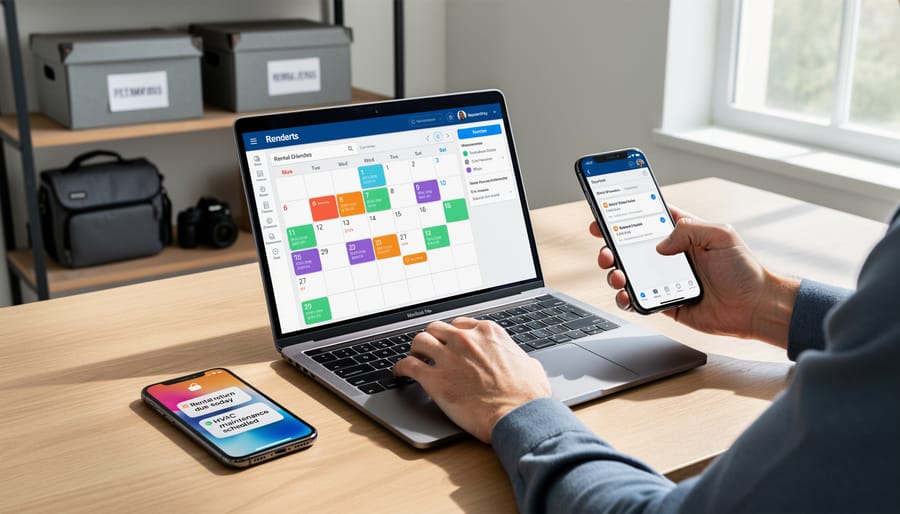
Start with Google Calendar or Outlook Calendar as your foundation. When you rent a tool, immediately create an event for the return date, setting it to send you email or push notifications 24 hours in advance. Add details like the rental company’s contact information, pickup location, and any special return instructions in the event notes. For recurring maintenance tasks on your own tools, set up repeating events with appropriate intervals based on manufacturer recommendations.
For a more comprehensive solution, try Trello or Notion’s free versions. These platforms let you create digital boards where each card represents a rented item or tool in your inventory. Add due dates, attach photos of equipment condition, and include rental receipts. Trello’s power-up feature allows calendar views, making it easy to visualize all your upcoming returns at a glance.
Calendar apps like Cozi or TimeTree work particularly well for teams or households managing multiple tool rentals. These allow shared access so everyone knows what’s due back and when. Set multiple reminders for high-value rentals to ensure nothing slips through the cracks.
The key is consistency. Choose one system and commit to updating it every single time you rent or borrow equipment. Even the best digital calendar won’t help if you forget to input your rental information upfront.
Creating Your Personal Tool Inventory
Building a comprehensive inventory of your tools—whether owned or rented—is the foundation of effective asset management. The good news? You don’t need expensive software to get started. Let’s walk through creating a system that actually works for you.
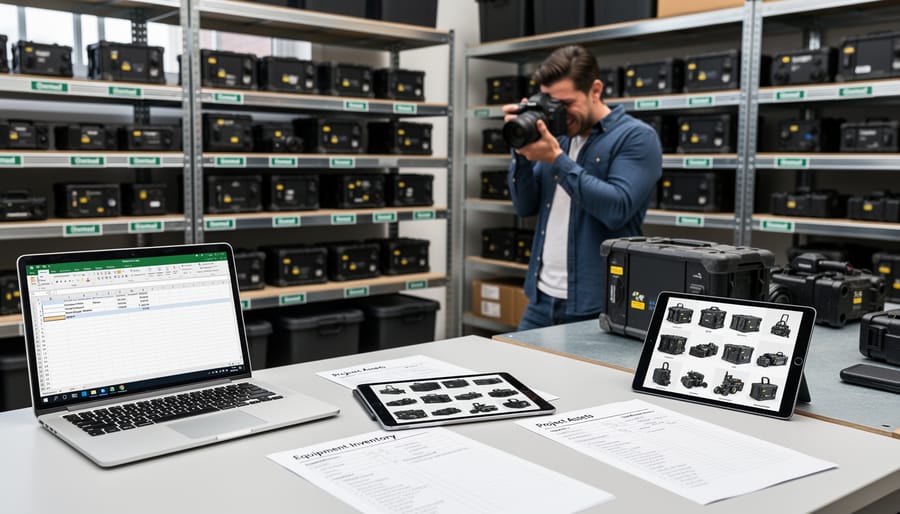
Start by choosing your tracking method. A simple spreadsheet (Google Sheets or Excel) works perfectly for most users, offering flexibility and accessibility from any device. Alternatively, dedicated inventory apps like Sortly or myStuff2 provide mobile-friendly interfaces with built-in barcode scanning. Many tool rental platforms also include built-in tracking features, and exploring options like automated tool tracking can streamline the process significantly for frequent renters.
Your inventory should capture essential details for each item: tool name and model number, purchase or rental date, cost, condition rating, and current location. Don’t underestimate the power of photo documentation—snap clear images of each tool from multiple angles, including serial numbers and any existing damage. These photos become invaluable for insurance claims, rental returns, and resolving disputes.
Location tracking prevents the common “where did I put that drill?” frustration. Record where each tool is stored at home, note which items are currently on job sites, and always flag rented equipment with return dates. Set calendar reminders for rental returns to avoid late fees.
Update your inventory regularly—ideally after each rental return or purchase. Schedule monthly reviews to verify locations and assess condition. This habit takes minutes but saves hours of searching and potentially hundreds in replacement costs.
Remember, community feedback consistently shows that users who maintain organized inventories experience fewer lost tools, lower rental costs, and significantly less stress when managing multiple projects simultaneously.
Project-Based Equipment Planning
Before you start any renovation, construction, or DIY project, take time to map out exactly which tools you’ll need and when. This planning stage is where online asset management really proves its worth, helping you avoid the frustration of discovering you need a specialty drill halfway through a job.
Start by breaking your project into phases. If you’re renovating a bathroom, you might need demolition tools first, then plumbing equipment, followed by tiling tools, and finally finishing gear. List every task and the equipment required for each stage. This prevents you from renting tools too early (wasting money on unused rental days) or too late (causing project delays).
Use your online platform’s calendar feature to schedule rental periods that align with each project phase. Build in buffer time—projects rarely go exactly as planned. If community reviews mention that a particular concrete mixer takes longer to clean than expected, factor that into your rental window.
Create a checklist within your digital system for every tool you’ll need on-site each day. Many tradespeople swear by this method to ensure nothing gets left behind when moving between locations. Some platforms even let you save project templates, so if you’re doing similar jobs regularly, you can duplicate your equipment list rather than starting from scratch.
Check availability early, especially for specialized or high-demand equipment during peak seasons. Popular tools like scaffolding or power washers often get booked weeks in advance. Early planning means you secure what you need at the best rates, rather than settling for expensive alternatives during last-minute scrambles.
Leveraging Community Reviews for Better Decisions
Before committing to a tool rental, check what other users have experienced. Community reviews offer real-world insights you won’t find in product descriptions—from battery life on cordless drills to whether that tile cutter actually handles porcelain as advertised. These honest assessments help you avoid equipment that might not suit your project needs or skill level.
Look for reviews that mention specific use cases similar to yours. A homeowner’s feedback about a pressure washer for driveway cleaning is more relevant than a contractor’s commercial application review. Pay attention to recurring themes: if multiple users mention difficulty with a particular adjustment mechanism, that’s valuable intelligence.
Star ratings provide quick guidance, but detailed comments reveal the full story. Users often share tips on operating quirks, recommended accessories, or potential safety concerns that save you time and frustration. This collective knowledge represents the best aspect of the share economy—experienced users helping others make informed decisions and get better results from their rentals.
Tools and Platforms That Make Tracking Effortless
Managing your tool assets doesn’t have to mean complicated software or expensive systems. Today’s solutions are designed with everyday users in mind, making it simple to track what you’ve hired, when it’s due back, and what’s sitting in your own shed.
Modern tool hire platforms now come with built-in tracking features that do the heavy lifting for you. When you book equipment through these platforms, you’ll automatically receive rental reminders via email or SMS, keeping return dates front of mind. Many platforms also maintain a digital record of your hire history, so you can quickly reference what you’ve borrowed and when, which proves invaluable for planning future projects or tax purposes.
Mobile apps have revolutionized on-the-go tracking. Whether you’re using a dedicated tool management app or your platform’s mobile version, you can photograph your tools, scan rental barcodes, and set custom alerts right from your phone. These apps often sync across devices, meaning your records are accessible whether you’re at the job site or home planning your next hire.
For those who prefer a simpler approach, downloadable spreadsheet templates offer a straightforward solution. These pre-formatted sheets let you log tool details, purchase dates, rental periods, and return deadlines without starting from scratch. They’re particularly useful for tradespeople managing both owned and hired equipment in one place.
Calendar integration is another game-changer. By syncing your hire bookings with Google Calendar, Outlook, or your phone’s native calendar, you’ll see tool return dates alongside your other commitments. Set reminders for a day or two before returns are due, giving yourself buffer time to wrap up jobs.
Many users combine these tools based on their needs. You might use your hire platform for rental tracking while maintaining a simple spreadsheet for owned equipment. The key is choosing systems that match your workflow rather than forcing yourself into complicated processes that you’ll eventually abandon.
Building Better Habits for Long-Term Success
The best asset management system only works if you stick with it. Think of tracking your tool rentals like maintaining your workshop—consistent, small efforts beat sporadic overhauls every time.
Start by scheduling quick weekly check-ins, perhaps Sunday evenings or whenever you plan your week ahead. Spend just five minutes reviewing what you’ve got on hire, checking return dates, and updating your tracking spreadsheet or app. Set phone reminders two days before any rental is due back—this gives you buffer time if the project runs over or weather delays your work.
Develop an end-of-project routine that becomes second nature. Before you return any hired equipment, snap a quick photo showing its condition, note the return date in your system, and jot down a brief comment about how it performed. These notes become invaluable when you’re choosing tools for similar jobs down the line. Many community members have shared that keeping a simple “lessons learned” log has saved them from repeating costly mistakes.
If you’re managing tools for a small crew or household, get everyone involved. Designate one person as the point of contact for rentals, but make sure team members or family know where to find the tracking information. A shared calendar or cloud-based spreadsheet means anyone can check what’s due back and when.
Consider joining online communities where users share their experiences with different tools and rental practices. Learning from others’ successes and mishaps helps you refine your own system without the trial-and-error costs. The key is making these habits so routine they require almost no thought—freeing you to focus on the actual work.
Managing your tool hire doesn’t need to be complicated. By implementing even one simple strategy—whether it’s setting calendar reminders, snapping quick photos of your rentals, or keeping a basic spreadsheet—you’ll prevent costly late fees and wasted time searching for misplaced equipment. These small habits add up to smoother hire experiences and more money staying in your pocket. Start with whichever approach feels most natural to you, and gradually add other techniques as they become routine. The community here has shared countless stories of how basic organization transformed their projects from stressful to seamless. Your next tool hire is the perfect opportunity to put one of these strategies into practice and see the difference for yourself.
Related Posts

Post a Comment