
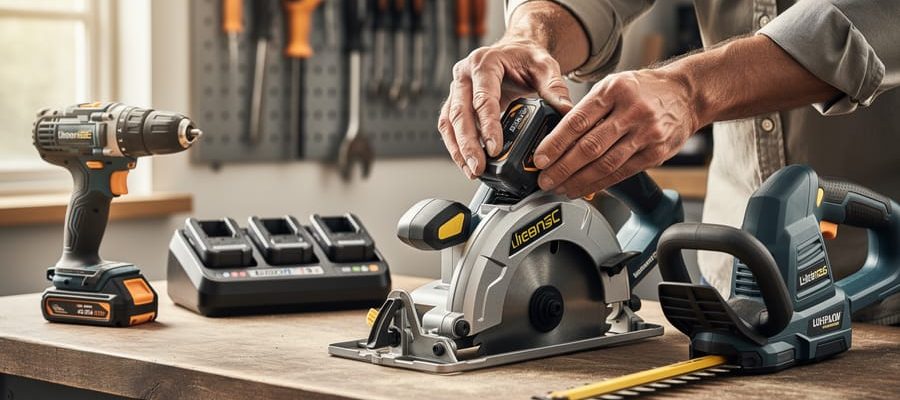
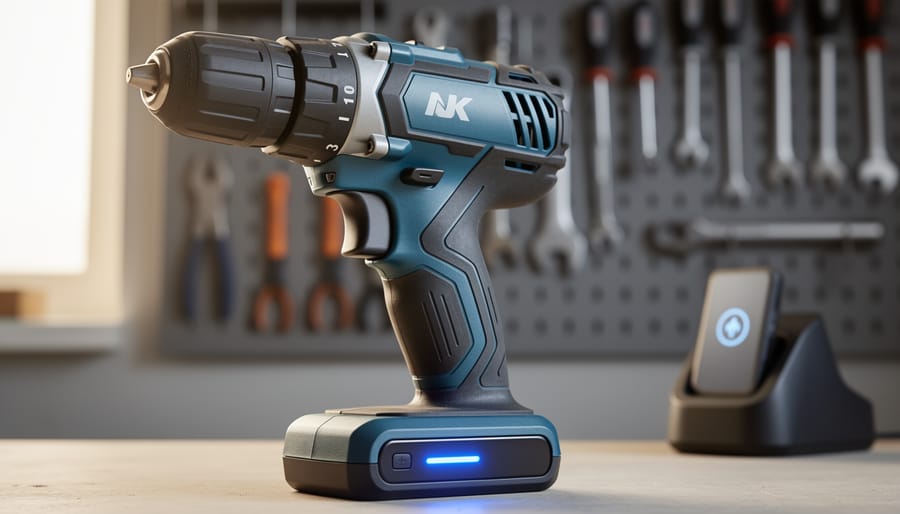
Imagine snapping a battery onto your power tool and instantly knowing its charge level, runtime remaining, and maintenance alerts—all without pressing a button. Smart modules are transforming ordinary cordless tools into connected devices that communicate performance data, prevent theft, track usage patterns, and optimize power delivery in real-time.
These intelligent add-ons integrate directly into battery packs, tool bodies, or charging systems, using Bluetooth and app connectivity to give modern tool users unprecedented control over their equipment. A tradesperson can monitor their entire tool fleet from a smartphone, receiving notifications when batteries need replacement or when a drill is left behind on a job site. DIY enthusiasts gain access to professional-grade insights like torque adjustments and brushless motor diagnostics that were once exclusive to industrial equipment.
The technology addresses practical frustrations: lost tools costing hundreds in replacements, batteries dying mid-project without warning, and uncertainty about when maintenance is actually needed versus just recommended. Major manufacturers now offer smart-enabled platforms, while aftermarket modules retrofit older tools with connectivity features.
The shift mirrors broader trends in connected technology, but the value proposition is tangible rather than gimmicky. Smart modules answer a simple question: what if your tools could tell you exactly what they need before problems occur? For professionals managing inventory and homeowners maximizing their investment, this represents a fundamental change in how we interact with power tools—from reactive maintenance to predictive management.
What Are Smart Modules and Why Should You Care?
The Technology Behind Smart Tool Attachments
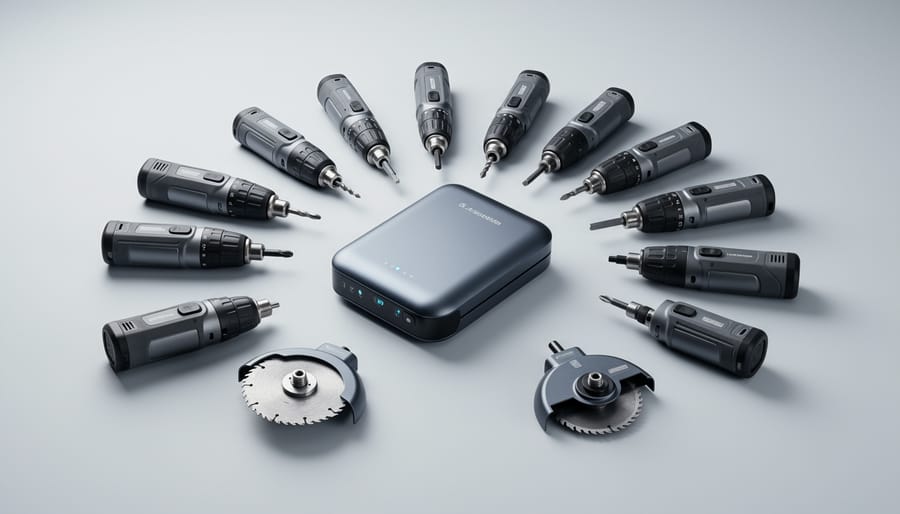
Smart modules rely on three key technological components that work together seamlessly. At their core, embedded sensors continuously monitor performance metrics like torque, temperature, vibration, and runtime. These micro-sensors are similar to those found in smartphones but specifically calibrated for the demanding conditions of power tools and workshop environments.
The connectivity features enable these modules to communicate with other devices and cloud platforms. Most modern smart modules use Bluetooth Low Energy or Wi-Fi protocols to sync data with smartphone apps, allowing you to track tool usage, receive maintenance alerts, and access performance analytics in real-time. Some advanced models even support mesh networking, letting multiple tools communicate with each other on job sites.
What truly sets smart modules apart are their intelligent power management systems. These sophisticated circuits analyze the task at hand and automatically adjust power delivery, motor speed, and battery consumption. For example, when drilling through softwood versus metal, the system detects resistance changes and optimizes power output accordingly, extending battery life while maintaining performance.
The integration of these technologies creates attachments that learn from usage patterns and adapt to different applications. The best part? This technology operates quietly in the background, requiring minimal input from users while delivering measurable improvements in efficiency and tool longevity.
Traditional Multi-Tools vs. Smart Modular Systems
Traditional multi-tools have served us well for decades—think of the all-in-one drill that came with multiple bits or the oscillating tool with swappable attachments. These conventional systems rely on mechanical connections, with accessories that simply lock into place. While functional, they’re essentially “dumb” components that can’t communicate with the power unit. You select the attachment, adjust settings manually, and rely entirely on your own judgment for optimal performance.
Smart modular systems represent a significant leap forward. These intelligent platforms feature attachments equipped with embedded chips or sensors that automatically identify themselves to the base unit. When you attach a sanding module to a smart power tool, it recognizes what you’ve connected and can adjust speed, torque, and power delivery accordingly. This isn’t just convenience—it’s about optimizing performance for each specific task while reducing user error.
The evolution goes beyond automatic settings. Smart modules can track usage data, alert you to maintenance needs, and even prevent operation if an attachment is worn beyond safe limits. Some systems store job-specific profiles, remembering your preferred settings for different materials or applications. Community members report that this technology particularly shines when switching between delicate finishing work and heavy-duty tasks, where traditional tools require constant manual adjustment.
The trade-off? Smart systems typically cost more upfront and require battery compatibility or power management systems. However, users consistently note that the precision and time savings offset the initial investment, especially for professionals juggling multiple projects daily.
The Real-World Benefits That Matter to Your Projects
Cutting Your Tool Investment Costs
Smart modular systems can dramatically reduce your upfront investment by eliminating the need to buy multiple complete tools. Instead of purchasing separate drills, drivers, sanders, and saws—each with its own motor and battery—you buy one power base and swap different attachment heads as needed.
Let’s look at real numbers. A traditional tool collection including a drill, impact driver, circular saw, and sander typically costs between $400-$600 for quality mid-range brands. With a modular system, you might spend $200-$250 for the base unit and first attachment, then add additional heads for $40-$80 each. Building the same four-tool capability could cost around $350 total—a savings of 30-40%.
Community members have shared their experiences with this transition. Mike from Colorado reported, “I switched to a modular system for my home workshop and cut my tool budget in half. The interchangeable heads take up way less space too.” Similarly, contractor Sarah in Texas noted, “For smaller jobs, I don’t need to haul my entire truck. Just grab the base and three attachments.”
The savings multiply when you factor in battery costs. Traditional setups often require multiple batteries and chargers, while modular systems typically use one shared power source across all attachments.
Space-Saving Solutions for Workshop and Van
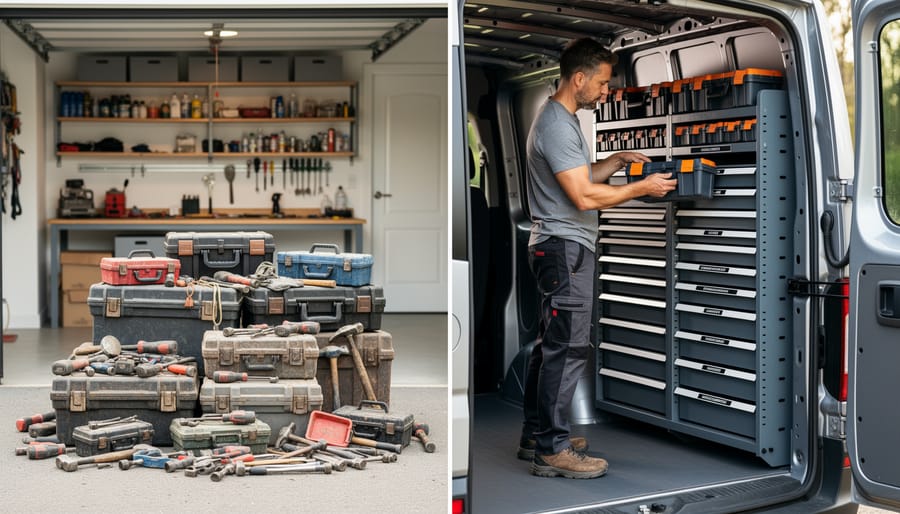
For tradespeople working from vans and DIY enthusiasts with compact home workshops, smart modules deliver significant space-saving advantages. The stackable design means you can organize multiple tool systems vertically rather than spreading them across shelves or van floors. Most systems lock together securely, preventing shifting during transport and reducing the risk of damage to your investment.
Mobile workers particularly appreciate how quickly these modules can be loaded and unloaded. Instead of carrying individual tools and searching for loose accessories, you grab a single module containing everything needed for a specific job. One electrician in our community noted that switching to modular storage reduced his van setup time by nearly 30 minutes daily.
The standardized footprint across different tool brands also means you can maximize every inch of available space. Modules fit consistently on shelving units, in vehicle storage systems, and even under workbenches. This uniformity eliminates the frustration of mismatched cases that waste valuable real estate.
For homeowners renting tools occasionally, the compact storage means you won’t sacrifice garage space between projects. The modules protect tools from dust and moisture while sitting on a shelf, maintaining rental-quality condition. Users consistently report that the organizational benefits alone justify the initial investment in a modular system.
Performance Optimization for Each Task
One of the standout features of smart modules is their ability to automatically fine-tune performance based on what you’re working on. Instead of manually adjusting settings or guessing at the right speed, these intelligent components recognize which attachment you’ve connected and what material you’re cutting, drilling, or fastening.
Here’s how it works in practice: when you attach a sanding pad, the module automatically reduces torque to prevent surface damage while maintaining consistent speed for smooth finishes. Switch to a hole saw for thick lumber, and it instantly increases torque while moderating speed to prevent overheating and blade dulling. This kind of optimization happens in real-time, adapting as conditions change during use.
The benefits extend beyond convenience. By preventing the tool from working too hard or too fast for the task at hand, smart modules significantly reduce wear on both the motor and attachments. Users report longer battery life per charge, fewer burned-out bits, and motors that stay cooler during extended jobs. Professional contractors particularly appreciate how this technology eliminates the learning curve when training new team members, since the tool essentially configures itself correctly every time.

Popular Smart Module Categories and What They Do
Cutting and Grinding Attachments
Smart cutting and grinding modules represent some of the most versatile attachments in modular tool systems, designed to tackle everything from metal fabrication to woodworking projects. These intelligent modules automatically adjust cutting speed and depth based on material resistance, preventing both damage to your workpiece and premature wear on blades or discs.
For metal cutting, these modules detect hardness levels and modify rotation speed accordingly, while wood-cutting attachments adjust blade speed to prevent burning or tear-out. Masonry modules compensate for density variations in concrete or brick, maintaining consistent cutting depth without manual intervention.
Community feedback highlights the convenience factor. One contractor noted that switching between cutting rebar and trimming plywood no longer requires manual adjustments, just swap the appropriate disc and let the module’s sensors handle optimization. Professional tile installers praise the precision depth control for scoring without breaking through delicate materials.
The technology includes safety features like kickback detection and automatic shutoff when unusual resistance patterns are detected. These smart safeguards make cutting tasks more accessible for DIYers while maintaining the performance standards professionals demand across diverse applications.
Drilling and Driving Modules
Drilling and driving modules bring intelligent automation to everyday fastening tasks. These attachments use built-in sensors to monitor torque in real-time, preventing you from over-tightening screws that could strip threads or crack materials. The depth sensing feature ensures consistent results—particularly valuable when installing cabinet hardware or assembling furniture where uniformity matters.
What sets these modules apart is material-specific optimization. Select your material type (hardwood, softwood, metal, drywall), and the module automatically adjusts speed and torque settings. Community members report this feature virtually eliminates the guesswork that leads to damaged workpieces or broken drill bits.
Professional contractors appreciate the data logging capabilities, which track battery usage and completed fasteners per job—useful for estimating future projects. DIY users highlight the learning curve reduction, with one reviewer noting, “It’s like having an experienced carpenter guiding each screw.”
Safety features include automatic shutoff when resistance spikes unexpectedly, protecting both user and material. While the initial investment exceeds traditional drill attachments, users consistently report time savings and reduced material waste that offset the cost difference within several projects.
Sanding and Finishing Smart Heads
Sanding and finishing smart heads transform traditional sanders into intelligent surface prep systems. These modular attachments connect to compatible power tools and automatically adjust their operation based on the material you’re working with and the finish quality you need.
The standout feature is vibration control technology that monitors movement patterns and reduces hand fatigue during extended use. Built-in dust management systems activate suction precisely when needed, keeping your workspace cleaner and improving visibility of your work surface. Surface-adaptive speed regulation is particularly valuable because the module detects whether you’re sanding hardwood, drywall, or metal and adjusts orbital speed accordingly to prevent damage and achieve optimal results.
User feedback highlights how these attachments simplify projects that previously required multiple sanding tools. One professional carpenter noted that the automatic speed adjustment eliminated guesswork when working with mixed materials on furniture restoration projects. However, some DIYers mention a learning curve with the dust collection system, recommending you empty the collection chamber more frequently than you might expect. The vibration reduction feature consistently receives praise for making all-day sanding projects significantly more comfortable.
Specialized Task Modules
Beyond the core drilling, driving, and cutting tools, specialized task modules expand your system’s capabilities into niche applications that professional tradespeople and serious DIYers find invaluable. Inspection camera modules transform your tool handle into a digital borescope, perfect for examining inside walls, under cabinets, or behind appliances without destructive disassembly. Users consistently praise these modules for saving hours on diagnostic work.
Laser measurement attachments bring precision to layout tasks, offering distance, area, and volume calculations at the press of a button. They’re particularly popular among contractors who need quick, accurate measurements on job sites. LED work light modules provide hands-free illumination that follows your tool wherever you work, with community reviews highlighting their superior brightness compared to standalone flashlights.
Other specialized modules include thermal sensors for detecting heat loss or electrical issues, moisture meters for identifying water damage, and even stud finders. While these attachments represent a smaller investment compared to full power tools, they significantly expand what your modular platform can accomplish, making your system truly versatile for both planned projects and unexpected challenges.
What to Look for When Choosing Smart Modular Systems
Compatibility and Ecosystem Considerations
Before investing in smart modules, it’s essential to understand compatibility requirements. Most manufacturers operate within proprietary ecosystems, meaning their smart modules only work with their specific base units. For example, a battery-powered module from Brand A won’t connect to Brand B’s tool platform, even if the physical connection fits.
Universal systems do exist but remain less common. These open-platform solutions allow cross-brand compatibility, giving you more flexibility when expanding your toolkit. However, they may lack the seamless integration and advanced features of proprietary systems.
When evaluating compatibility, consider both current and future needs. Check if the manufacturer supports firmware updates for future-proofing your investment. Review their product roadmap to ensure ongoing support and new module releases.
Community feedback highlights common pitfalls: outdated base units may not support newer modules, discontinued product lines leave users stranded, and some brands limit third-party accessories. Before committing to an ecosystem, research the manufacturer’s track record for supporting older equipment and their commitment to backward compatibility. Reading user reviews about long-term ecosystem reliability can save you from costly incompatibility issues down the track.
Build Quality and Durability Markers
When evaluating smart modules, start by examining the housing material. Look for impact-resistant polycarbonate or reinforced ABS plastics that can withstand drops and jobsite wear. Check all connection points, the most vulnerable areas on any modular system. Quality modules feature reinforced locking mechanisms with metal pins or hardened plastic tabs, not flimsy clips that break after repeated use.
Weather resistance matters even for indoor tools. IP ratings (Ingress Protection) tell you what a module can handle. IP54 offers dust and splash protection suitable for most DIY use, while professional-grade modules should meet IP65 or higher for outdoor jobsites. Inspect rubber gaskets and sealing rings around ports and connections, as these wear out first.
Battery modules deserve extra scrutiny. Quality units include thermal management systems and overcharge protection. Check warranty terms carefully. Professional modules typically offer 3-5 year warranties with higher cycle ratings (1000+ charges), while consumer versions may only guarantee 500 cycles.
According to community feedback, connection wear becomes noticeable after 100-200 attachment cycles on budget modules, while premium options maintain tight fits beyond 1000 cycles. User reviews consistently highlight that investing in durable connection points prevents the frustration of loose-fitting components that compromise tool performance and safety over time.
Smart Features That Actually Matter
Not all smart features deliver real value. Focus on capabilities that solve actual problems rather than flashy extras. Battery management systems that prevent over-discharge and optimize charging cycles genuinely extend tool life and reduce downtime. Automatic torque adjustment based on material density prevents stripped screws and damaged workpieces, something professionals particularly appreciate. Usage tracking helps rental businesses manage inventory and maintenance schedules effectively, while DIYers benefit from knowing when service is due.
Bluetooth connectivity matters when it enables tool recovery through tracking or allows you to share settings across a job site. However, apps that merely display battery percentage add little value since most tools already show this visually. According to community feedback, the most praised features are those you interact with rarely but rely on heavily, like geofencing alerts that prevent theft or automatic shut-off for safety. Temperature monitoring protects motors during extended use, a feature that pays for itself by preventing burnout. Skip modules offering social media integration or gamification unless those genuinely enhance your workflow.
Getting Started: Making the Switch to Smart Modules
Building Your First Smart Modular Kit
Starting with the right modules depends on your primary use case and budget. Here’s how to build a practical foundation kit for different user types.
For DIY homeowners tackling weekend projects, begin with a three-module core: a drill/driver module (your most versatile tool), a circular saw module for cutting tasks, and an LED work light module for visibility. This combination handles approximately 70% of common household repairs and improvements, from hanging shelves to building deck furniture. Community feedback consistently shows these three modules deliver the best value for occasional users.
Professional tradespeople need reliability and speed. Start with five modules matching your specialty: contractors typically prioritize drill/driver, impact driver, circular saw, reciprocating saw, and oscillating multi-tool modules. These cover framing, demolition, and finish work efficiently. Pro users in our community report that investing in two battery packs initially prevents downtime during back-to-back jobs.
Rental business owners should focus on durability and demand. Begin with eight high-turnover modules: drill/driver, impact wrench, angle grinder, circular saw, jigsaw, sander, LED light, and portable vacuum. These modules address the most requested rental categories and share maintenance procedures, simplifying your inventory management.
Remember to purchase compatible batteries rated for your heaviest-draw module. Most manufacturers offer starter bundles that reduce initial costs by 15-25% compared to buying modules individually.
Common Mistakes to Avoid
Even experienced users can stumble when adopting smart module technology. One of the most common pitfalls is compatibility confusion. Before purchasing any smart module, verify it works with your existing tool ecosystem. Many community members have shared frustrating experiences of buying modules that don’t connect with their primary tools or base systems, resulting in wasted money and project delays.
Another frequent mistake is over-investing too quickly. It’s tempting to buy every available module when you’re excited about new technology, but start small. Purchase only the modules you’ll use regularly for your specific projects. Community feedback consistently shows that users who bought complete collections often leave several modules untouched while basic needs go unmet.
Maintenance oversights can seriously impact performance over time. Smart modules require regular firmware updates, battery monitoring, and proper storage conditions. Neglecting these basics leads to connectivity issues, reduced battery life, and inaccurate data readings. Set calendar reminders for updates and inspections.
Finally, don’t skip the learning curve. Many users report diving into complex projects without fully understanding their modules’ capabilities and limitations. Take time to read manuals, watch tutorial videos, and practice with simple applications first. The community forums are filled with advice from those who learned this lesson the hard way, helping you avoid similar setbacks.
Real Users Share Their Experience
We reached out to the tool community to hear real stories about making the switch to smart modular systems. Here’s what they told us.
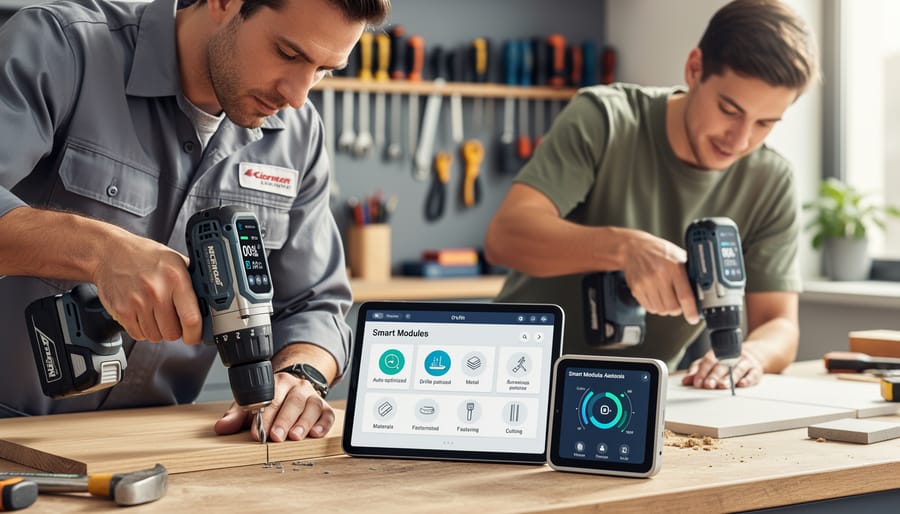
Mike Chen, a residential electrician from Portland, shares his perspective: “I was skeptical at first because I’ve been using the same drill and impact driver combo for years. But after trying a smart battery module that tracks usage and maintenance schedules, I’m sold. It reminded me when my chuck needed tightening before I even noticed performance issues. That probably saved me from a costly breakdown on a job site.”
DIY enthusiast Sarah Martinez from Denver highlights the learning curve: “I’ll be honest, the first week was frustrating. I spent more time setting up the app than actually working. But once everything synced properly, the voice notifications became incredibly helpful. Now I know exactly which battery to grab without checking each one manually. My favorite module is the laser level attachment that auto-corrects for minor tilts.”
Professional contractor James O’Sullivan offers a balanced view: “The dust extraction module changed my indoor renovation work completely. Cleaner job sites mean happier clients and less cleanup time. However, I wouldn’t recommend going all-in immediately. Start with one or two modules that solve your biggest pain points. For me, that was battery management and dust control. The smart features are genuinely useful, not just gimmicks, but you’re paying a premium of about 30-40% over traditional tools.”
Weekend warrior Tom Bradford shares his cost-benefit analysis: “As someone who tackles projects a few times a month, I appreciate the maintenance reminders. I used to forget when I last serviced my tools. The system tracks everything automatically. Is it worth the extra cost? For occasional users like me, probably not essential. But if you’re using tools weekly or professionally, the efficiency gains add up quickly.”
These experiences reveal a common theme: smart modules deliver genuine value when matched to specific needs, but require realistic expectations about both capabilities and investment.
Smart modular attachments represent a genuine shift in how we approach tool ownership and project versatility. Rather than investing in multiple standalone tools that clutter your workspace and drain your budget, these systems offer a practical path toward doing more with less. The key benefits are clear: reduced upfront costs, simplified storage, and the flexibility to tackle diverse projects without compromise.
For both DIY enthusiasts and professional tradespeople, the question isn’t whether smart modules work, but whether they align with your specific needs. Consider your typical projects, available storage space, and how often you need specialized functions. If you frequently switch between tasks or work in varied environments, these systems can streamline your workflow significantly.
Community feedback consistently highlights the learning curve as manageable and the long-term savings as substantial. Users appreciate the upgrade path these systems provide, allowing you to expand capabilities as projects demand without starting from scratch each time.
Before committing to a purchase, we strongly recommend exploring rental options to test different brands and configurations. This hands-on experience helps you understand which platform best matches your working style and project requirements. Renting also lets you trial premium attachments you might not otherwise consider, potentially revealing new possibilities for your craft. Take the time to experiment, gather your own insights, and make an informed decision that serves your needs for years to come.
Related Posts

Post a Comment