


Monitor your platform’s availability metrics daily using automated tools that track server response times, page load speeds, and API functionality across all critical user touchpoints. Set up real-time alerts that notify your team immediately when uptime drops below 99.5%, allowing you to address issues before they cascade into major service disruptions that erode customer trust.
Implement redundant systems for your most critical functions—payment processing, booking confirmations, and inventory management—by maintaining backup servers and database replications that automatically activate when primary systems fail. This redundancy ensures that even during maintenance windows or unexpected outages, customers can still browse available tools, complete rentals, and access their booking information without interruption.
Establish clear service level objectives (SLOs) that define acceptable performance thresholds for each platform component, from search functionality to checkout processes. Review these metrics weekly with your technical team to identify patterns in slowdowns or failures, using community-driven reviews and user-reported issues as additional data points that reveal problems automated monitoring might miss.
Create a documented incident response protocol that assigns specific team members to investigate, communicate, and resolve outages within defined timeframes. When disruptions occur, transparent communication with your rental community about what happened, how long repairs will take, and what preventive measures you’re implementing demonstrates accountability and maintains user confidence in your platform’s reliability.
What Uptime Actually Means for Your Tool Hire Platform
When your tool hire platform goes down, it means customers can’t browse equipment, make bookings, or access their rental information. Uptime is simply the percentage of time your platform remains accessible and functional. While it sounds straightforward, understanding what those percentages actually mean makes all the difference in running a reliable service.
Let’s break down what common uptime guarantees translate to in real terms. A platform with 99% uptime sounds impressive, but that actually allows for more than 7 hours of downtime each month. That’s nearly a full working day when your customers can’t rent tools. Jump to 99.9% uptime, and you’re looking at roughly 43 minutes of downtime monthly. At 99.99%, you’re down to just 4 minutes per month.
For tool rental businesses, even brief outages can hurt significantly. Imagine a professional tradesperson who needs to rent a concrete mixer for an early morning job. If your platform is down for even 30 minutes during their planning window, they’ll likely turn to a competitor. That’s not just a lost booking; it’s potentially a lost customer who now has a relationship with another provider.
The weekend factor makes this even more critical. Most DIY enthusiasts and homeowners plan their projects for weekends. If your platform experiences downtime on a Saturday morning, you’re offline during peak browsing and booking hours. According to user feedback from platform communities, even a single poor experience during a crucial moment often drives customers away permanently.
Different uptime levels also affect your reputation. When customers share experiences through community-driven reviews, reliability features prominently. A platform that’s occasionally unavailable gets mentioned, and not favorably. Professional tradespeople, who depend on timely equipment access for paying jobs, are particularly vocal about reliability issues.
The bottom line: uptime isn’t just a technical metric. It directly impacts your revenue, customer retention, and market reputation. Understanding these numbers helps you make informed decisions about your platform infrastructure investments.
The Five Critical Elements That Keep Your Platform Running
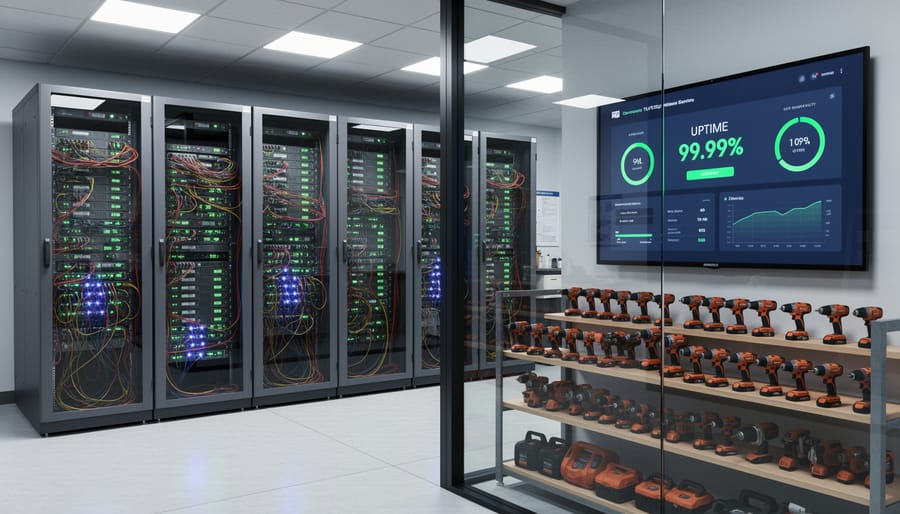
Server Infrastructure and Hosting Reliability
Your platform’s server infrastructure forms the backbone of reliable service delivery. Think of it as the foundation of a building—if it’s unstable, everything above it suffers. The quality of your hosting directly impacts whether customers can access your tool hire platform when they need it most.
Server redundancy is your safety net. Rather than relying on a single server, implementing multiple backup servers ensures that if one fails, another automatically takes over. This seamless transition happens in seconds, often without users even noticing. For tool hire platforms, where customers might be booking equipment for urgent jobs, even brief downtime can mean lost bookings and frustrated users.
Load balancing distributes incoming traffic across multiple servers, preventing any single machine from becoming overwhelmed during peak periods. Picture the morning rush when professional tradespeople are securing equipment for the day’s work—without proper load balancing, your platform could slow to a crawl or crash entirely during these critical hours.
Geographic distribution takes reliability a step further. By hosting your platform across multiple data centers in different locations, you protect against regional issues like power outages or natural disasters. This approach, often called geographic redundancy, is particularly valuable for platforms serving customers across wide areas. If your primary data center experiences problems, traffic automatically routes to another location.
When choosing a hosting provider, look beyond basic uptime guarantees. Ask about their backup power systems, network redundancy, and disaster recovery protocols. Reputable providers offer service level agreements (SLAs) with specific uptime commitments, typically 99.9% or higher. They should also provide real-time monitoring and immediate alerts when issues arise, allowing your team to respond proactively rather than learning about problems from unhappy customers.
Database Health and Backup Systems
Your database is the heart of your tool rental platform, storing everything from customer bookings to equipment availability and user reviews. When database performance slows down or fails, your entire operation grinds to a halt. This means customers can’t search for tools, bookings get lost, and your business loses revenue.
Database performance directly impacts uptime in several ways. Slow query responses make your website feel sluggish, causing frustrated users to abandon their bookings. Connection issues prevent your OMS platform from accessing vital information about tool availability. Without proper maintenance, databases become bloated and inefficient, leading to system crashes during peak rental periods.
Regular backups are your safety net against data loss. Implement automated daily backups of all critical information, including customer booking histories, tool inventory records, and community-generated reviews. These backups should be stored in multiple locations, both on-site and in secure cloud storage, following the 3-2-1 backup rule: three copies of your data, on two different media types, with one copy off-site.
Your recovery procedures need testing before disaster strikes. Run monthly recovery drills to ensure you can restore customer bookings and inventory data quickly. Document each step of the recovery process so any team member can execute it under pressure. Establish recovery time objectives, aiming to restore critical booking functions within one hour and complete system functionality within four hours. Remember, every minute of downtime during peak rental season represents lost bookings and damaged customer trust.
Monitoring and Alert Systems
Real-time monitoring is your first line of defense against downtime. Think of it as having a security system for your tool rental platform—it constantly watches for problems and alerts you before customers experience disruptions. The key is catching issues early, ideally before anyone trying to book a power drill or reserve a scaffolding kit even notices something’s wrong.
Start by implementing platform monitoring tools that track essential metrics around the clock. For tool rental platforms, focus on monitoring website response times (how quickly pages load), transaction success rates (are bookings completing properly), payment gateway functionality, search performance, and inventory database connections. These are the touchpoints that directly affect your customers’ ability to find and rent equipment.
Set up alerts that notify your team through multiple channels—email, SMS, or dedicated monitoring apps. Configure thresholds that make sense for your operation. For example, if your booking confirmation page takes longer than three seconds to load, or if your payment processing fails twice in a row, you should receive an immediate alert.
Don’t just monitor technical metrics. Track user behavior patterns too. A sudden drop in completed bookings or an increase in abandoned carts often signals a problem users are experiencing but might not report. Community-driven reviews and user feedback can also highlight emerging issues before they escalate into major outages, giving you valuable early warning signs that complement your automated monitoring systems.
Update and Maintenance Windows
Scheduling maintenance windows effectively is crucial for keeping your tool hire platform running smoothly while minimizing disruption to your users. The key is understanding when your customers are least active and planning accordingly.
For tool hire businesses, peak rental periods typically occur Thursday through Saturday mornings, when both DIY enthusiasts prepare for weekend projects and tradespeople stock up for the week ahead. Your optimal maintenance window usually falls between 2 AM and 6 AM on Tuesday or Wednesday nights, when traffic hits its lowest point.
When planning platform updates, always communicate with your users at least 48 hours in advance. Send email notifications, display banner messages on your website, and post updates on your social media channels. Be specific about the expected downtime duration and which features will be affected. Transparency builds trust within your community.
Consider implementing rolling updates whenever possible. This approach means updating different system components sequentially rather than taking everything offline at once. While one server undergoes maintenance, others continue serving users, significantly reducing noticeable downtime.
Create a maintenance checklist that includes testing all critical functions before going live again: search functionality, booking system, payment processing, and user account access. Have a rollback plan ready in case issues arise during the update.
Keep a maintenance log documenting what was updated, when, and any issues encountered. This record helps identify patterns and improves future maintenance planning. Most importantly, monitor user feedback immediately after updates to catch any problems quickly.
Security Measures That Prevent Outages
Security isn’t just about protecting data—it’s directly linked to keeping your tool hire platform online and accessible. When security fails, downtime follows, and that means frustrated customers, lost bookings, and damaged reputation.
The most common security-related outages come from DDoS attacks (Distributed Denial of Service), where malicious traffic floods your platform until it crashes. Think of it like thousands of people trying to squeeze through your shop door at once—eventually, nobody can get in. These attacks can take your entire platform offline for hours or even days if you’re unprepared.
Security breaches pose another serious threat. When hackers gain unauthorized access, you’ll often need to take systems offline while investigating and fixing vulnerabilities. For a platform handling payment information, this becomes even more critical—compliance requirements may force you offline until security is restored.
Essential protective measures include implementing a web application firewall (WAF) to filter malicious traffic before it reaches your servers. This acts as your first line of defense against attacks. Regular security audits help identify vulnerabilities before attackers exploit them. Multi-factor authentication adds another security layer, making unauthorized access significantly harder.
Rate limiting is particularly effective—it restricts how many requests can come from a single source within a specific timeframe, stopping many automated attacks. Automated backup systems ensure you can restore service quickly if something goes wrong, while SSL certificates encrypt data transfers, protecting customer information and maintaining trust.

Warning Signs Your Platform’s Uptime Is at Risk
Recognizing the early warning signs of uptime problems can save your platform from costly downtime and frustrated customers. Think of it like maintaining your tools—catching issues early prevents bigger breakdowns down the road.
Start by monitoring your platform’s loading speed. If pages that normally load in 2-3 seconds are now taking 5-10 seconds, something’s amiss. Use free tools like Google PageSpeed Insights to establish baseline measurements and track changes over time. Slow performance often signals database issues, server capacity problems, or inefficient code that needs attention.
Pay close attention to error messages, even if they seem minor or infrequent. Intermittent 500-series errors (server errors) or timeout messages are red flags that shouldn’t be ignored. Create a simple log to track when these occur—patterns often emerge that point to specific problem areas.
Customer complaints are your frontline intelligence. When you notice an uptick in reports about checkout failures, search problems, or difficulty accessing accounts, investigate immediately. Community-driven feedback through reviews and support tickets often reveals issues before your monitoring tools detect them.
Watch your system performance metrics closely. Server CPU usage consistently above 80 percent, memory utilization creeping upward, or disk space dropping below 20 percent available all indicate trouble brewing. Most hosting providers offer dashboards showing these metrics—check them weekly at minimum.
Database query times deserve special attention. If queries that once completed in milliseconds now take full seconds, your database needs optimization or your traffic has outgrown your current infrastructure.
Finally, track your platform’s response time during peak hours. If performance degrades significantly when demand increases, you’re approaching capacity limits. Address scaling issues proactively rather than waiting for complete failures that impact your reputation and revenue.

Building Your Uptime Action Plan
Improving your platform’s uptime doesn’t require a massive budget or technical expertise. Start by assessing your current situation using the monitoring data you’ve gathered. Review the past three months of performance metrics to identify patterns—are outages happening at specific times? Does your site slow down during peak booking hours? This baseline helps you prioritize where to invest your efforts first.
Next, have an honest conversation with your hosting provider. Many offer tiered service plans, and you might benefit from upgrading to a plan with better resources or guaranteed uptime percentages. Ask specific questions: What’s their average response time for technical issues? Do they provide automatic backups? Is there redundancy built into their infrastructure? If your current provider can’t meet your needs, consider switching—the short-term migration effort often pays dividends in long-term reliability.
For small to medium businesses, focus on affordable quick wins first. Implement a content delivery network to speed up image loading for your tool listings. Enable caching to reduce server strain. Set up automated backups so you can quickly restore service if something breaks. These improvements typically cost under £50 monthly but deliver measurable results.
Create a simple incident response plan that your team can follow when problems arise. Document who to contact at your hosting company, how to communicate with customers during outages, and what information to gather about each incident. Keep this plan accessible to everyone who might need it.
Finally, schedule monthly reviews of your uptime performance. Track improvements, celebrate wins, and adjust your approach based on real data. Remember, perfect uptime isn’t realistic—but consistent, proactive management makes disruptions rare and recovery swift.
Strong uptime directly impacts your bottom line in the tool hire industry. When your platform stays available and responsive, customers can browse equipment, make bookings, and complete rentals without frustration. This reliability translates into repeat business and positive community-driven reviews that attract new users. Conversely, downtime means lost bookings, damaged reputation, and customers turning to competitors who offer a more dependable service.
Start by assessing where your platform stands today. Check your current uptime percentage, review recent performance data, and identify which elements need immediate attention. Focus on the most critical components first: server reliability and database performance typically offer the greatest return on investment. From there, work systematically through monitoring systems, backup protocols, and content delivery networks.
Remember that uptime isn’t a one-time project but an ongoing commitment. Regular monitoring, proactive maintenance, and quick response to issues separate platforms that thrive from those that struggle. Your customers depend on accessing tools when they need them, and that starts with a platform they can trust to be there.
Related Posts


Post a Comment