

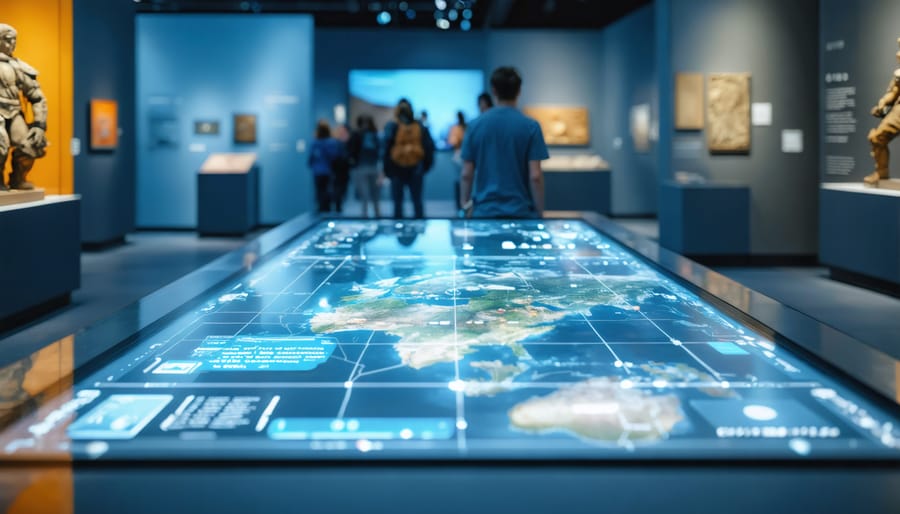
Transform your museum’s static displays into dynamic learning environments through interactive exhibits that captivate visitors and create lasting educational impact. Modern museums are evolving beyond traditional glass-enclosed artifacts, embracing touchscreens, motion sensors, and augmented reality to forge meaningful connections between visitors and collections. These engaging installations not only increase visitor dwell time but also significantly boost information retention and overall satisfaction rates.
Interactive exhibits democratize learning by accommodating multiple learning styles – visual, auditory, and kinesthetic – while making complex subjects accessible to diverse audiences. From RFID-enabled artifact exploration to gesture-controlled historical timelines, today’s museum technology transforms passive observers into active participants in their own discovery process.
Whether you’re planning a complete gallery overhaul or introducing select interactive elements, understanding the intersection of technology, visitor experience, and maintenance requirements is crucial for success. The most effective installations seamlessly blend cutting-edge technology with time-tested museum practices, creating immersive experiences that educate, entertain, and inspire without compromising collection preservation standards.
This comprehensive guide explores the latest trends in museum interactivity, practical implementation strategies, and maintenance best practices to help you create compelling, durable exhibits that stand the test of time and engagement.
The Building Blocks of Interactive Museum Displays
Touch-Screen Solutions and Digital Interfaces
Touch-screen interfaces have revolutionized museum exhibits, offering visitors intuitive ways to explore content while providing durability for high-traffic environments. Modern capacitive screens, similar to those found in smartphones, offer excellent responsiveness and support multi-touch gestures, allowing multiple visitors to interact simultaneously.
When selecting touch-screen technology, museums typically choose between projected capacitive (PCAP) displays for their superior clarity and durability, or infrared touch frames for larger installations. PCAP displays work well in well-lit areas and offer better protection against vandalism and wear, while infrared systems excel in creating larger interactive walls and tables.
The software interface requires careful consideration of user experience principles. Successful implementations feature large, clearly visible buttons, high-contrast text, and intuitive navigation paths. Many museums now incorporate accessibility features like adjustable text sizes and audio descriptions, ensuring exhibits remain inclusive for all visitors.
Regular maintenance is crucial for touch-screen exhibits. Daily cleaning with appropriate non-abrasive solutions keeps surfaces hygienic and responsive. It’s recommended to install screens with protective glass layers rated at least 7H on the hardness scale to prevent scratching and extend the display’s lifespan.
For optimal performance, touch-screen exhibits should include:
– Anti-glare coating to reduce reflections
– Tempered glass protection
– Clear visual feedback for user interactions
– Emergency shutdown protocols
– Regular software updates and security patches

Motion Sensors and Gesture Recognition Systems
Motion sensors and gesture recognition systems have revolutionized the way visitors interact with museum exhibits, creating engaging experiences without the need for physical contact. These systems use infrared sensors, depth cameras, and sophisticated software to track visitors’ movements and translate them into meaningful interactions with digital displays.
Popular technologies include the Microsoft Kinect and similar depth-sensing cameras, which can accurately track multiple visitors simultaneously. When properly calibrated, these systems allow visitors to control virtual objects, navigate through digital environments, or trigger specific content simply by moving their bodies or using hand gestures.
Installation typically requires mounting sensors at strategic locations to ensure optimal coverage of the interaction space. The most effective setups include both overhead and front-facing sensors to capture a complete range of movements. For reliable operation, sensors should be positioned away from direct sunlight and regularly cleaned to maintain accuracy.
Museums often combine motion sensing with projection mapping or large displays to create immersive experiences. Popular applications include virtual artifact handling, interactive timelines controlled by gesture, and digital art installations that respond to visitor movement. These systems are particularly effective for children’s exhibits and educational displays where physical engagement enhances learning.
Regular maintenance includes sensor alignment checks, software updates, and periodic recalibration to ensure consistent performance. Many museums now opt for modular systems that allow for easy component replacement and updates as technology advances.

Installation and Maintenance Essentials
Mounting and Hardware Requirements
Proper mounting and hardware selection are crucial for a successful exhibition setup. Begin by assessing your wall structure – concrete, drywall, or wood panels will each require different mounting solutions. For standard interactive displays, use heavy-duty wall anchors rated for at least 1.5 times the exhibit’s weight. We recommend 3/8-inch lag bolts for wooden studs and sleeve anchors for concrete surfaces.
Height considerations are essential for accessibility. Install touch screens and interactive panels at 42 inches from the floor for wheelchair access, while standing exhibits should be mounted at 60 inches for optimal viewing. When planning modular display installations, ensure framework supports can handle both dead loads and dynamic forces from user interaction.
Key hardware requirements include:
– VESA-compatible mounting brackets (400x400mm standard)
– Anti-theft security screws
– Cable management systems
– Reinforced corner brackets for free-standing displays
– Vibration-dampening washers
– Leveling feet for uneven surfaces
Always include a 20% safety margin in load calculations and test mounts thoroughly before final installation. For electronic components, install proper grounding systems and ensure power outlets are within 6 feet of the display. Remember to check local building codes for specific requirements regarding public installations and ADA compliance.
Consider future maintenance access when selecting mounting solutions. Quick-release mechanisms can save time during repairs while maintaining security. Keep detailed documentation of mounting specifications for future reference.
Regular Maintenance and Troubleshooting
Regular maintenance is crucial for keeping interactive museum exhibits running smoothly and minimizing downtime. Common issues often include unresponsive touch screens, sensor malfunctions, and wear on physical components. To prevent these problems, museums should establish a routine inspection schedule and partner with reliable equipment maintenance services for professional upkeep.
For touch screen exhibits, daily cleaning with appropriate non-abrasive solutions helps prevent buildup that can affect functionality. Check for loose connections and calibrate screens monthly. If screens become unresponsive, first try a system restart before calling technical support.
Motion sensors and interactive cameras may require weekly alignment checks. Clean sensor lenses regularly and ensure proper lighting conditions are maintained. If sensors fail to trigger, verify power connections and check for any obstruction in the detection zone.
For mechanical exhibits, inspect moving parts daily for wear and tear. Lubricate components according to manufacturer specifications and replace worn parts promptly. Listen for unusual sounds that might indicate potential problems.
Keep a maintenance log documenting all issues and repairs. This helps identify patterns and predict potential failures before they occur. Stock essential spare parts on-site for quick repairs, and maintain a list of qualified technicians for specialized repairs.
When troubleshooting, always start with the simplest solution: check power connections, restart systems, and verify software settings before moving to more complex solutions. Train staff in basic troubleshooting steps to minimize exhibit downtime and maintenance costs.
Visitor Safety and Accessibility Considerations
Safety Standards and Compliance
Safety is paramount when designing and maintaining interactive museum exhibits, especially considering the diverse audience they serve. All interactive installations must comply with ADA (Americans with Disabilities Act) requirements, ensuring accessibility for visitors with different abilities. This includes appropriate height requirements, clear pathways, and tactile elements that are securely mounted.
Electrical safety standards require all interactive exhibits to use UL-listed components and proper grounding. Power cables must be concealed and protected from visitor contact, while emergency shut-off switches should be readily accessible to staff. Interactive elements powered by batteries need secure compartments with child-resistant features.
Material safety is equally crucial, with all surfaces requiring non-toxic, flame-retardant finishes. Sharp edges must be eliminated, and moving parts should have proper guards to prevent pinch points. Load-bearing elements need regular inspection and must meet structural safety requirements based on anticipated usage patterns.
Regular maintenance checks should follow a documented safety protocol, including daily visual inspections and weekly comprehensive evaluations. Staff training in emergency procedures and exhibit shutdown protocols is essential. Museums must maintain detailed safety logs and incident reports to ensure compliance with local health and safety regulations.
For exhibits involving touch screens or hands-on elements, proper sanitization procedures must be implemented, with antimicrobial surfaces preferred where possible. Clear signage indicating age restrictions and proper usage instructions should be prominently displayed.
Universal Design Principles
Universal design ensures interactive exhibits are accessible and enjoyable for all visitors, regardless of their physical abilities, age, or learning style. Start by implementing multi-height display stations that accommodate both standing adults and wheelchair users, with recommended heights between 28 and 34 inches for seated access. Include clear pathways at least 36 inches wide between exhibits to allow easy navigation for mobility devices.
Incorporate multi-sensory elements in your exhibits to engage visitors through different learning channels. Combine visual displays with audio descriptions, tactile elements, and where appropriate, scents or temperature variations. For touch-based interactions, ensure controls are easy to manipulate and require minimal force – no more than 5 pounds of pressure.
Text displays should feature high-contrast colors and sans-serif fonts at a minimum size of 18 points. Include braille translations and audio alternatives for written content. Install adjustable lighting systems to reduce glare and accommodate visitors with light sensitivity.
For digital interfaces, implement voice control options and ensure compatibility with screen readers. Include closed captions for video content and provide volume controls that can be adjusted for hearing aid users. Remember to place interactive elements within reach ranges of 15 to 48 inches from the floor to accommodate children and wheelchair users.
Regular feedback from disability advocacy groups and accessibility experts helps maintain and improve these universal design features.

Measuring Success and User Engagement
Measuring the success of interactive exhibits requires a combination of quantitative data and qualitative feedback to ensure optimal visitor engagement strategies. Start by implementing digital counters at exhibit entry points to track basic footfall and dwell time. These metrics provide valuable insights into which displays attract the most attention and how long visitors interact with them.
Install touchscreen analytics software to monitor user interactions, including most-used features and common navigation patterns. This data helps identify which elements resonate with visitors and which might need improvement. Consider using heat mapping technology to understand visitor movement patterns and exhibit accessibility.
Visitor feedback collection should include both digital and traditional methods. Install simple feedback terminals with quick satisfaction surveys near exits, and place traditional comment cards throughout the space. Many museums now use QR codes linked to online surveys, making data collection more efficient and environmentally friendly.
For deeper insights, implement periodic observational studies where staff members monitor visitor behavior and interaction patterns. Look for signs of engagement such as:
– Time spent at each interactive station
– Number of repeat visits to specific exhibits
– Social interaction and group participation
– Photography or social media sharing
– Questions asked to staff members
Document maintenance needs and technical issues to track reliability and downtime. This information helps optimize repair schedules and identify exhibits that might need updates or replacement. Keep detailed records of cleaning requirements and wear patterns to better estimate long-term maintenance costs.
Regular staff meetings to discuss visitor feedback and maintenance reports help create a complete picture of exhibit performance. Use this information to make data-driven decisions about future improvements and to justify investments in new interactive features or necessary upgrades.
Interactive museum exhibits have revolutionized the way visitors engage with history, science, and art. As we’ve explored throughout this article, these hands-on displays combine technology, creative design, and educational content to create memorable experiences. The success of interactive exhibits relies heavily on proper maintenance, regular updates, and careful consideration of user feedback.
Looking ahead, emerging technologies like augmented reality, artificial intelligence, and motion sensors are set to transform museum interactions even further. Museums are increasingly incorporating smartphone integration and personalized experiences, allowing visitors to dive deeper into exhibits that interest them most. Virtual reality components are becoming more affordable and practical for smaller institutions, democratizing access to immersive experiences.
The future of interactive exhibits will likely focus on sustainability, both in terms of environmental impact and long-term maintenance requirements. Museums are moving towards modular designs that can be easily updated or repaired, reducing downtime and maintenance costs. Community engagement continues to play a crucial role, with many institutions incorporating visitor feedback into exhibit improvements and updates.
For museums considering interactive installations, success lies in balancing innovation with practicality. The key is choosing robust, user-friendly technologies that enhance rather than overshadow the educational content. Regular maintenance schedules, clear documentation, and trained staff remain essential components of any successful interactive exhibit program.
Related Posts


Post a Comment