

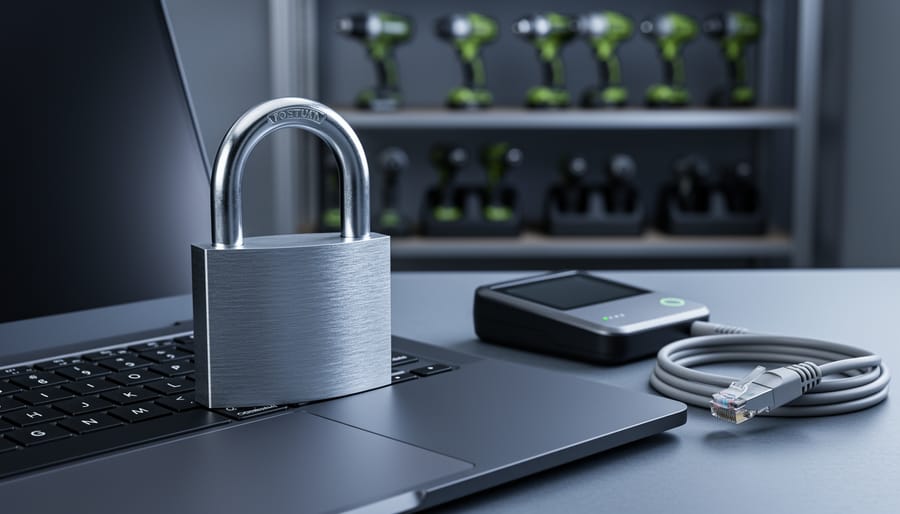
Encrypt all customer payment data using SSL certificates and PCI-compliant payment gateways that handle sensitive information off-site, removing the burden of storing credit card details on your own servers. This single step eliminates your biggest vulnerability while building customer trust through the visible padlock icon in their browser.
Update every piece of software connected to your online store within 24 hours of security patches becoming available, including your e-commerce platform, plugins, inventory management systems, and any connected equipment monitoring tools. Cybercriminals specifically target outdated software because known vulnerabilities give them easy entry points into your business systems.
Implement two-factor authentication across all business accounts, especially your website admin panel, email, and payment processor dashboards. Require staff members to use unique, complex passwords changed every 90 days, and never share login credentials between team members or across different platforms.
For tool hire businesses managing connected equipment and online booking systems, create automated daily backups stored in separate cloud locations from your primary server. When ransomware attacks strike, businesses with recent backups can restore operations within hours rather than paying criminals or losing weeks of transaction data, customer records, and booking information.
Monitor your transaction logs weekly for unusual patterns like multiple failed payment attempts, orders from high-risk countries you don’t service, or sudden spikes in account creation. Early detection of suspicious activity stops breaches before they escalate into full-scale data theft affecting hundreds of customers.
What Makes E-Commerce Different: The Connected Equipment Factor
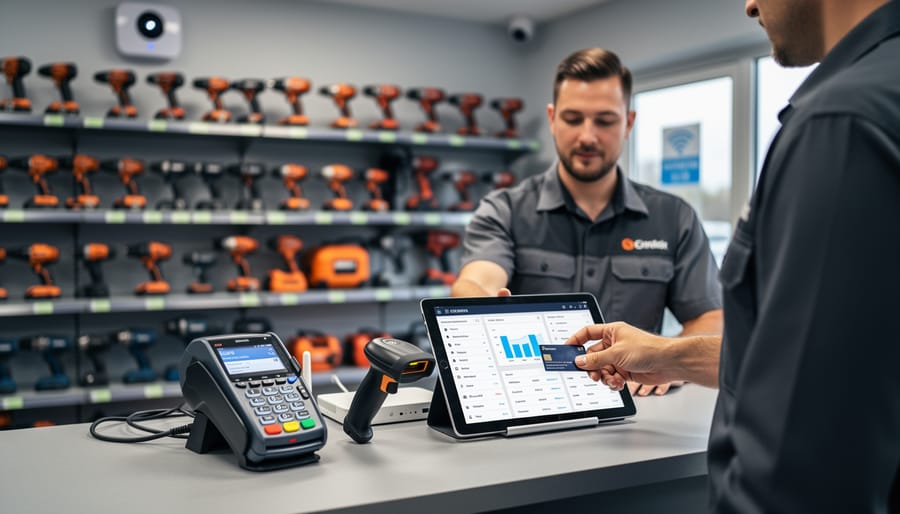
The Equipment You Use Every Day (That Hackers Love)
Modern equipment rental operations rely on connected devices to streamline business, but each piece of technology can become a doorway for cybercriminals. Understanding these vulnerabilities is the first step toward protecting your business.
Card readers and payment terminals top the list of targeted devices. These process sensitive customer information daily, making them prime targets for data theft. Hackers can install malicious software (malware) that captures card details during transactions, or they might intercept data being transmitted to your payment processor.
Tablets used for inventory management often connect to your main business network and store customer booking information. If left unsecured or using weak passwords, they provide an easy entry point. Many businesses forget to update these devices regularly, leaving known security gaps wide open.
Barcode scanners and handheld devices typically connect via Bluetooth or Wi-Fi, creating wireless access points that hackers can exploit. If these connections aren’t encrypted (protected with security codes), cybercriminals can intercept equipment data and customer information.
Security cameras meant to protect your premises can ironically become security risks themselves. Many come with default passwords that owners never change, and they constantly transmit video data across your network. Hackers have been known to access camera feeds or use them as stepping stones to reach more sensitive systems.
Smart locks and access control systems offer convenience but add another connected device to your network. If compromised, they could give criminals both digital and physical access to your business.
The common thread? Each device connects to your network, stores data, or processes transactions, creating multiple potential entry points that require your attention and protection.
The Real Threats: What Could Actually Happen to Your Business
Customer Payment Data Breaches
When customer payment data falls into the wrong hands, the consequences extend far beyond the immediate theft. For your tool hire business, a credit card breach can trigger a cascade of serious problems. Customers whose card details are stolen will understandably lose trust in your business, and word spreads quickly through online reviews and community networks that tradespeople rely on.
The financial impact hits small businesses particularly hard. You may face direct costs including fraud reimbursements, payment card industry (PCI) fines that can reach thousands of dollars, legal fees, and expenses for credit monitoring services for affected customers. Many small operations lack the financial cushion to absorb these sudden costs. In severe cases, the combination of fines, lawsuits, and lost revenue can lead to business liquidation.
Your liability depends on several factors, including whether you followed payment security standards and how quickly you detected and reported the breach. Insurance can help, but many policies exclude cyber incidents unless you’ve purchased specific coverage. The lesson is clear: prevention costs far less than dealing with a breach’s aftermath, making robust payment security non-negotiable for any e-commerce operation.
Ransomware That Locks You Out of Your Inventory
Ransomware is malicious software that locks you out of your own systems and holds your data hostage until you pay a ransom. For tool rental businesses, this means cybercriminals can freeze your entire booking platform, making it impossible to process new rentals, check equipment availability, or access customer information. Your inventory database becomes inaccessible, leaving you unable to track which tools are out, when they’re due back, or who has them.
The immediate impact hits hard. Every hour your system is locked means lost bookings and frustrated customers who’ll turn to competitors. While cybersecurity might not seem as urgent as maintaining your equipment fleet or working to increase your business’s revenue, a single ransomware attack can shut down operations for days or even weeks. Many small businesses never fully recover from the financial blow.
The infection typically starts through seemingly harmless emails with attachments or links. Once clicked, the ransomware spreads through your connected systems, encrypting files and demanding payment, usually in cryptocurrency. Prevention is far cheaper than paying ransom or rebuilding your entire digital infrastructure from scratch.
Compromised Customer Accounts and Identity Theft
When customers rent equipment from your business, they trust you with sensitive personal information—home addresses, driver’s license numbers, credit card details, and contact information. If cybercriminals breach your system, this data becomes a goldmine for identity theft and fraud. Stolen driver’s licenses can be used to open fraudulent accounts, while payment information leads directly to unauthorized charges on customer cards.
The consequences extend far beyond immediate financial losses. A data breach erodes customer trust instantly. In the close-knit communities of tradespeople and DIY enthusiasts, word spreads quickly. One security incident can damage your reputation for years, with negative reviews and cautionary tales shared across forums and social media. Customers who’ve had their information compromised rarely return, and potential clients will choose competitors with stronger security track records.
For small tool rental businesses, the financial impact is significant. You may face regulatory fines, legal fees, and the cost of credit monitoring services for affected customers. The average cost of a data breach for small businesses ranges from thousands to hundreds of thousands of dollars—potentially devastating for operations running on tight margins. Protecting customer data isn’t just good practice; it’s essential for business survival.
Practical Security Steps You Can Take This Week
Secure Your Payment Processing Equipment
Your payment processing equipment—whether it’s a countertop card reader or a full point-of-sale system—is a direct gateway to customer payment data and your business accounts. Protecting these devices doesn’t require a degree in cybersecurity, just consistent attention to some fundamental practices.
Start with regular software updates. Your card reader’s manufacturer releases updates to patch security vulnerabilities that hackers actively exploit. Check for updates weekly, or better yet, enable automatic updates if your device supports it. Most modern terminals will prompt you when updates are available—never postpone them.
Network security matters enormously. Never connect payment equipment to shared or public Wi-Fi networks. If you’re running your tool hire counter at a trade show or temporary location, use a dedicated mobile hotspot with strong password protection rather than venue Wi-Fi. At your main location, keep payment devices on a separate network segment from your general business computers and guest Wi-Fi.
Physical security is equally important. Before each day’s first transaction, inspect your card reader for signs of tampering—loose parts, unusual attachments, or anything that looks different. Skimming devices (illegal attachments that steal card data) are real threats. Keep equipment in secure locations when closed, never leaving it accessible after hours.
Finally, verify your payment processor is PCI-DSS compliant—this is the Payment Card Industry Data Security Standard. Compliant providers follow rigorous security protocols that protect your business and customers. Ask potential providers directly about their compliance status and request documentation. This isn’t optional; it’s your first line of defense against payment fraud.
Protect Your Staff Accounts and Passwords
Your staff passwords are your first line of defence, yet “123456” remains one of the most commonly used passwords worldwide. For your tool hire business, weak passwords are like leaving your shop keys under the doormat. Here’s how to protect your accounts properly.
Start with password management basics. Require all staff to create passwords at least 12 characters long, combining letters, numbers, and symbols. Consider using a password manager tool, which securely stores complex passwords so your team doesn’t need to remember dozens of combinations. These tools generate strong, unique passwords for each account automatically.
Two-factor authentication (2FA) adds a second verification step beyond passwords. When staff log in, they’ll need both their password and a code sent to their phone. This means even if someone steals a password, they still can’t access your systems. Most e-commerce platforms and business tools offer 2FA in their security settings. Enable it everywhere possible.
Control who accesses what. Not everyone needs full system access. Your counter staff might need the booking system but not financial records. Create tiered access levels matching job responsibilities. Review these permissions quarterly and immediately remove access when staff members leave. This simple step prevents both accidental damage and intentional misuse while keeping your business data secure.
Keep Your Connected Equipment Updated
Software updates and firmware patches aren’t just annoying notifications—they’re your frontline defense against cyber criminals. Think of them like changing the locks after someone tries to break into your shop. Each update fixes security holes that hackers actively exploit.
Here’s your practical update schedule:
Weekly checks: Review notifications on your point-of-sale tablets and payment terminals. Most modern devices will alert you when updates are available. Don’t dismiss these—schedule them for after closing time.
Monthly reviews: Check firmware for barcode scanners, inventory management devices, and Wi-Fi routers. Many business owners overlook these, but they’re common entry points for attacks. Log into each device’s admin panel or check the manufacturer’s website for the latest versions.
Quarterly deep-dive: Document all connected equipment in a simple spreadsheet, including make, model, and last update date. This creates accountability and ensures nothing slips through the cracks.
Pro tip from our community: Set calendar reminders for each device type. One hire shop manager shared that dedicating 30 minutes monthly saved them from a potential data breach. Enable automatic updates where possible, but always test on one device first to avoid disrupting operations. If you’re unsure about a device’s update process, check the manufacturer’s support documentation or contact their helpdesk directly.
Create a Backup Plan That Actually Works
A solid backup strategy protects your business from ransomware, system failures, and human error. Follow the 3-2-1 backup rule: keep three copies of your data, store them on two different types of media, and keep one copy offsite.
Start by identifying what needs backing up. For tool rental businesses, this includes customer contact details, rental agreements, payment records, inventory lists, and equipment maintenance logs. Set up automated daily backups for transaction data and weekly backups for inventory records.
For the first two copies, use your primary system plus an external hard drive or network-attached storage device. This handles local recovery if something goes wrong. The third copy should live offsite, either through a cloud backup service or by rotating physical drives to a separate location.
Test your backups monthly by restoring a sample file. Many businesses discover their backups don’t work only when disaster strikes. Set calendar reminders to verify you can actually access and restore your data. Cloud services like Backblaze or Carbonite offer affordable solutions starting around £6 monthly, providing automatic backups without technical expertise required.
When to Call in the Experts (And When You Don’t Need To)
Knowing when to tackle cybersecurity yourself versus calling in professional help can save you money and headaches. Here’s a practical breakdown based on real business experiences.
You can likely handle these security measures yourself: setting up strong passwords using a password manager, enabling two-factor authentication on all accounts, installing reputable antivirus software, keeping your systems updated, training your staff on phishing awareness, and implementing basic firewall protection. These foundational steps cost little to nothing and are straightforward enough for most business owners to manage. Think of them like regular equipment maintenance—essential tasks you wouldn’t skip.
However, you should consider professional IT security services when you notice warning signs like unexplained system slowdowns, unusual account activity, or actual security breaches. If you’re handling credit card transactions, processing significant volumes of customer data, or expanding to multiple locations, professional help becomes crucial. The same applies if you’re integrating complex payment systems or cloud-based inventory management tools—the more connected your equipment and systems become, the more vulnerable entry points you create.
Cost considerations matter. Basic professional security audits typically range from £500-£2,000 for small businesses, while ongoing managed security services start around £100-£300 monthly. Compare this to the average cost of a data breach—£3,000 to £20,000 for small businesses when factoring in lost revenue, customer notifications, and regulatory fines.
The deciding factor often comes down to complexity and consequences. If a security failure would shut down your business operations, compromise customer payment information, or violate data protection regulations, that’s your signal to invest in professional expertise. Your customers trust you with their information—protecting it properly isn’t optional, it’s fundamental to staying in business.
Building a Security-Conscious Team Culture
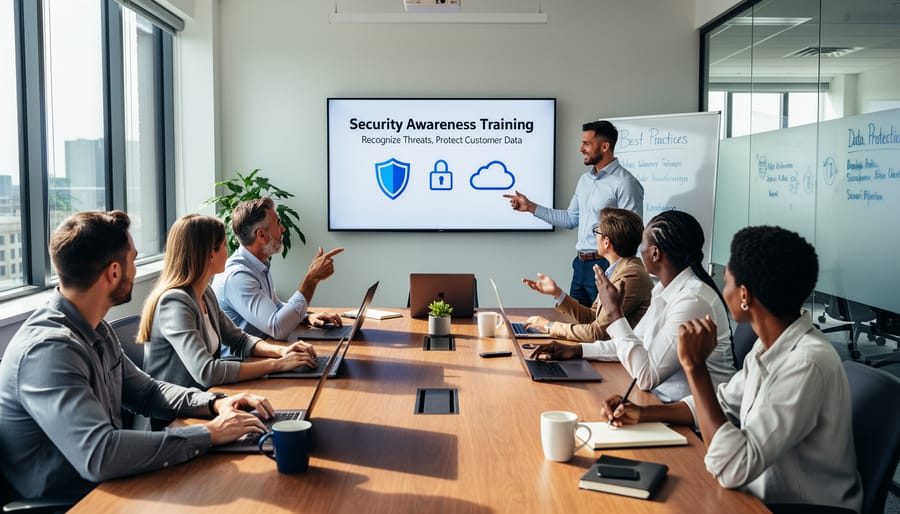
Your team is your first line of defense against cyber threats. Even the most sophisticated security systems can be undermined by a single clicked phishing link or a weak password. The good news? Building security awareness doesn’t require expensive training programs—just consistent, practical guidance.
Start with regular, bite-sized training sessions. Show your staff real examples of phishing emails targeting tool hire businesses, like fake invoices from “suppliers” or messages claiming to be from delivery companies. These often contain links requesting login credentials or asking to “verify” account details. Teach them the red flags: urgent language, spelling errors, suspicious sender addresses, and unexpected attachments.
For customer-facing staff, emphasize recognizing unusual behavior patterns. Someone requesting multiple high-value equipment rentals with rushed pickup times, reluctance to provide proper identification, or insistence on using only certain payment methods could signal fraudulent activity. Encourage team members to trust their instincts and establish a simple reporting process when something feels off.
Make security part of your daily operations. Require strong, unique passwords for all systems and enable two-factor authentication wherever possible. Create a simple checklist for opening and closing procedures that includes checking for unauthorized system access or suspicious activity.
Most importantly, foster a culture where asking questions about security is encouraged, not embarrassing. When your team understands that protecting customer data and business systems helps grow your business and builds trust, they become active participants in your cybersecurity strategy rather than potential weak points.
Protecting your e-commerce business from cyber threats doesn’t require a massive budget or a computer science degree. Start small and build from there. Even implementing one or two security measures, like updating your passwords or enabling two-factor authentication, makes a real difference in safeguarding your customers’ information and your business reputation. Remember, every data breach doesn’t just compromise sensitive information; it damages the trust you’ve worked hard to build with your customers and can result in costly fines and lost revenue. The good news? Most security improvements are straightforward and can be tackled using the same problem-solving approach you bring to any job site challenge. Take action today by choosing one security step from this guide and implementing it this week. Your customers, your bottom line, and your peace of mind will thank you.
Related Posts


Post a Comment