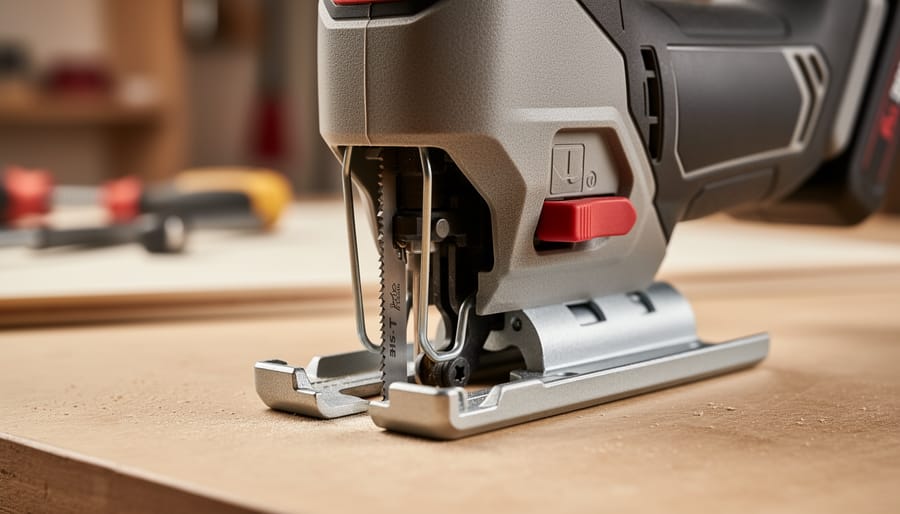
Nine times out of ten, when a T-shank blade won’t lock into your jigsaw, the issue is debris in the blade clamp or you’re pushing a worn blade that’s lost its grip notches. Pull the blade, wipe down the shank and clamp mechanism with a dry cloth, then reinsert firmly until you hear the click.
If that doesn’t solve it, you’re facing one of three common culprits: a jammed or bent blade-release lever, a worn clamp spring inside the tool, or you’ve grabbed a U-shank blade by mistake (yes, it happens more than you’d think). The good news is most T-shank troubles can be fixed in under five minutes with no special tools.
T-shank blades are the industry standard for modern jigsaws, featuring a tang-shaped shank that locks into a tool-free clamp. They replaced older U-shank designs because they’re faster to change and hold more securely during aggressive cuts. But that quick-change convenience only works when the locking mechanism is clean and the blade itself isn’t damaged.
In this guide, you’ll find a symptom checker to pinpoint exactly what’s going wrong, followed by step-by-step fixes for each issue. We’ve pulled insights from hundreds of user reports in our community to identify the problems DIYers and pros encounter most often, whether you’re mid-project on a kitchen backsplash or tearing through plywood on a job site. Safety is critical here: a blade that loosens mid-cut can cause kickback or binding. If your jigsaw’s internal clamp mechanism shows visible cracks or the release lever has snapped off, stop and consult the manufacturer or a qualified repair tech before continuing.
Key Takeaway: Safe, effective t-shank blade use boils down to five non-negotiables: disconnect power before any blade work, inspect both blade and clamp before each job, match blade type to your material, replace worn or damaged blades immediately, and clean the blade clamp monthly (or weekly for heavy use). Following these basics prevents 90% of common problems and virtually eliminates blade-related accidents.
Quick Symptom Checker: What’s Wrong with Your T-Shank Blade?
Identifying your t-shank blade problem quickly gets you back to cutting. Most issues fall into a few recognizable patterns, and pinpointing yours now saves trial-and-error later.
Start by observing exactly what’s happening when you try to use the blade. Does the problem occur before you start cutting, during the cut, or when you’re trying to remove the blade? Each symptom points to a specific cause.
| Symptom | Likely Cause & Where to Find the Fix |
|---|---|
| Blade won’t insert into jigsaw | Wrong blade type (u-shank vs. t-shank), debris in clamp, or damaged shank. See Section 4.1 |
| Blade won’t lock or feels loose | Incomplete insertion, worn retention mechanism, or dirty clamp. See Section 4.1 |
| Blade wobbles or vibrates during cutting | Improper seating, bent shank, or loose blade clamp. See Section 4.2 |
| Blade falls out or slips during use | Failed locking mechanism, incorrect installation, or damaged blade tang. See Section 4.2 |
| Cuts are rough, slow, or blade burns material | Dull blade, wrong blade for material, or damaged teeth. See Section 4.3 |
| Blade won’t release from jigsaw | Debris jamming release mechanism, corrosion, or broken release lever. See Section 4.4 |
Power off and unplug your jigsaw before investigating any of these symptoms. A quick visual check often reveals the issue: look for bent or damaged shanks, debris around the blade clamp, or signs the blade isn’t fully seated. If you hear clicking or rattling during a cut, the blade isn’t locked properly. Rough cuts or burning smells usually mean the blade itself is worn out rather than the jigsaw having a mechanical problem.
Why T-Shank Blades Fail: Common Causes Explained
Wrong Blade Type or Damaged Shank
The most fundamental cause of t-shank fitting problems is having the wrong blade entirely. Many DIYers grab what looks right without checking the shank type, then fight to force a u-shank blade into a t-shank jigsaw. The two aren’t interchangeable, u-shank blades have a half-moon cutout, while t-shanks feature a tool-free tang with a defined cross or flat geometry that clicks into place.
Counterfeit and budget blades compound the issue. Poorly manufactured t-shanks often have undersized or oversized tangs that won’t seat properly, even in compatible tools. The tolerances are off by fractions of a millimeter, enough to prevent secure locking.
Physical damage to genuine t-shank blades creates similar symptoms. A bent tang from dropping the blade or forcing it into the wrong jigsaw, chipped edges from striking metal during a cut, or worn geometry from repeated installation all prevent proper engagement. Inspect the shank closely, any deformation, burrs, or rounded edges mean the blade is done. Forcing a damaged blade risks it ejecting mid-cut, a serious safety hazard. Replace it immediately rather than struggling with a compromised fit.
Jigsaw Chuck Problems
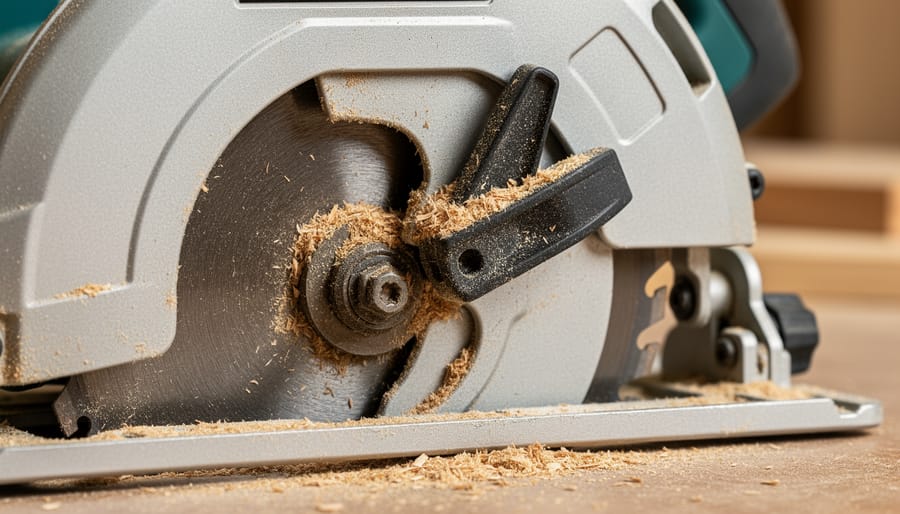
Even a perfect t-shank blade won’t work if your jigsaw’s chuck is compromised. The blade clamp mechanism is where most tool-related failures happen, and they’re often invisible until you experience symptoms.
Dust and debris buildup is the most common culprit. Sawdust, metal shavings, and adhesive residue pack into the clamp slot over time, preventing the blade from seating fully. You’ll feel resistance when inserting the blade, or it may appear locked but wobble during use. Construction sites and remodeling environments accelerate this buildup, a jigsaw used daily in dusty conditions can develop significant clamp obstruction within weeks.
Worn blade retention components show up as blades that lock initially but slip under load. The metal cam or lever that grips the blade tang develops wear grooves after hundreds of blade changes. You might notice the locking mechanism feels loose or doesn’t provide the same firm click it once did.
Spring failure in tool-less systems is less obvious. The internal spring that maintains clamp tension weakens or breaks, causing intermittent blade ejection. This often happens suddenly, your blade worked fine yesterday, now it won’t stay put.
Incompatible jigsaw models are rare but real. Some older or budget jigsaws claim t-shank compatibility but have undersized clamps that won’t fully engage modern blade tangs.
Dull or Incorrect Blade Selection
A dull blade doesn’t always announce itself with obviously poor cuts, sometimes it masquerades as a fitting problem. When teeth lose their edge, the blade struggles to bite into material. Users instinctively push harder, creating lateral pressure that causes the shank to slip in the clamp even when it’s properly locked. This forced cutting mimics a loose blade, but replacing the clamp won’t solve it.
Similarly, selecting the wrong blade type generates frustration that feels mechanical. A wood blade forced through metal produces vibration, wandering cuts, and apparent instability that seems like poor blade retention. The tool fights the material, creating symptoms identical to a damaged shank.
Over-sharpening presents another hidden issue. Aggressive grinding removes material unevenly, altering the blade’s geometry and balance. The shank itself may remain intact, but the blade wobbles during operation as weight distribution shifts. What feels like a loose fit is actually a compromised blade that should be retired, not re-sharpened further.
Improper Installation Technique
User error causes many t-shank blade problems, even with undamaged blades and properly functioning jigsaws. The most common mistake is incomplete insertion, stopping before the blade seats fully in the clamp. The shank must push all the way into the chuck until you feel resistance and hear a distinct click. Stopping short leaves the blade loose and prone to slipping or ejecting during use.
Incorrect orientation trips up beginners and rushed professionals alike. Installing the blade backward (teeth facing the wrong direction) or upside-down prevents proper engagement and ruins cut quality. T-shank blades have a specific up-and-down orientation; the teeth should point forward and upward from the jigsaw baseplate.
Failure to fully engage the locking mechanism is equally problematic. On tool-less systems, you must push or turn the release lever completely back to its locked position. On older models with set screws, the screw needs firm tightening, finger-tight won’t hold. Always test retention with a gentle tug before powering on.
How to Fix T-Shank Blade Problems: Step-by-Step Solutions
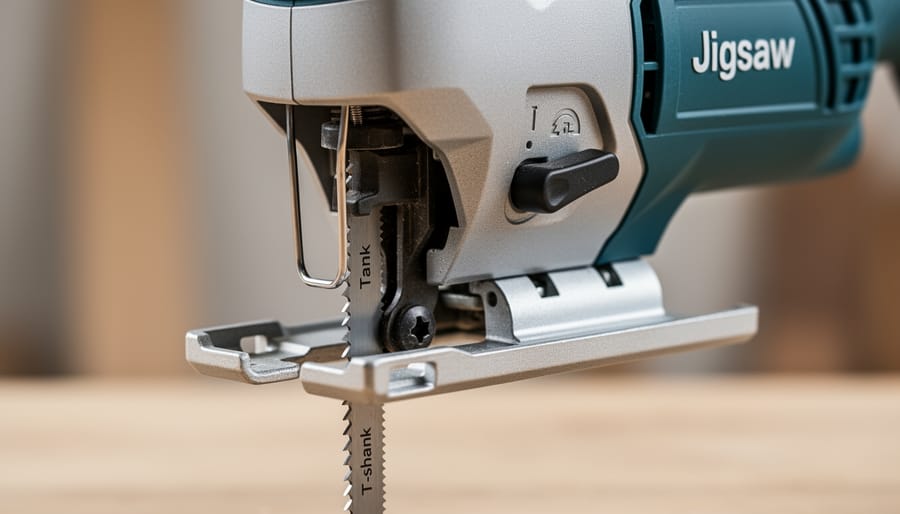
Fix: Blade Won’t Insert or Lock Properly
When your t-shank blade refuses to insert or lock into the jigsaw clamp, work through these diagnostics in order:
- Disconnect the power. Unplug corded jigsaws or remove the battery from cordless models before touching the blade area.
- Inspect the blade shank closely. Look for bent tangs, chipped corners, missing metal, or manufacturing defects. Even a 1mm bend can prevent proper seating.
- Clean the blade clamp thoroughly. Use compressed air to blow out sawdust, resin, and metal shavings from inside the retention mechanism. Follow with a small brush to dislodge packed debris.
- Check for hidden obstructions. Shine a flashlight into the clamp opening and look for broken blade fragments, hardened oil, or corrosion buildup that blocks insertion.
- Test with a known-good blade from a fresh package. If the new blade locks instantly, your original blade is damaged and needs replacement, don’t try to force or modify it.
- Examine the retention mechanism itself. Wiggle the clamp lever or collar and feel for smooth spring action. Grinding, sticking, or no resistance signals internal wear.
Replace the blade if the shank shows any visible damage or deformation, attempting to file or bend it back compromises safety and cut quality. Service the tool if multiple fresh blades fail to lock and cleaning didn’t help; the internal springs, ball bearings, or clamp jaws likely need professional replacement. Most blade issues resolve at steps two through four, but a worn jigsaw clamp can destroy even premium blades by failing to grip properly.
Fix: Blade Wobbles, Slips, or Falls Out During Use
A blade that wobbles, slips during cuts, or drops out mid-operation is dangerous and frustrating. This problem almost always traces back to incomplete seating or debris preventing full engagement of the retention mechanism.
Start by unplugging the jigsaw or removing its battery pack completely. Pull the blade out using your tool’s release mechanism, never yank or pry it free, as this can damage the clamp.
Warning: Never attempt to adjust, touch, or test blade security while the tool is plugged in or contains a battery, accidental trigger pulls cause serious injuries.
Examine the blade shank closely under good light. Verify it’s a genuine t-shank design with the characteristic tang profile, not a worn blade or wrong shank type. Check for bent tangs, chips along the shank edges, or buildup of pitch and sawdust that can prevent full insertion.
Clean the jigsaw’s blade clamp thoroughly. Use compressed air to blast out dust, then wipe the clamp channel with a clean rag. Inspect the retention mechanism, look for worn springs, damaged levers, or metal shavings that block proper closure.
Reinstall the blade with deliberate, firm pressure straight into the clamp until you feel or hear a definite click or lock. The blade should sit fully flush with no gap visible at the shank. Test retention by gripping the blade near the clamp and pulling gently downward, it shouldn’t budge.
If the blade still slips during use, you’re likely forcing the tool or cutting too aggressively for the blade type. Let the saw do the work with steady, moderate pressure rather than pushing hard.
Fix: Poor Cutting Performance
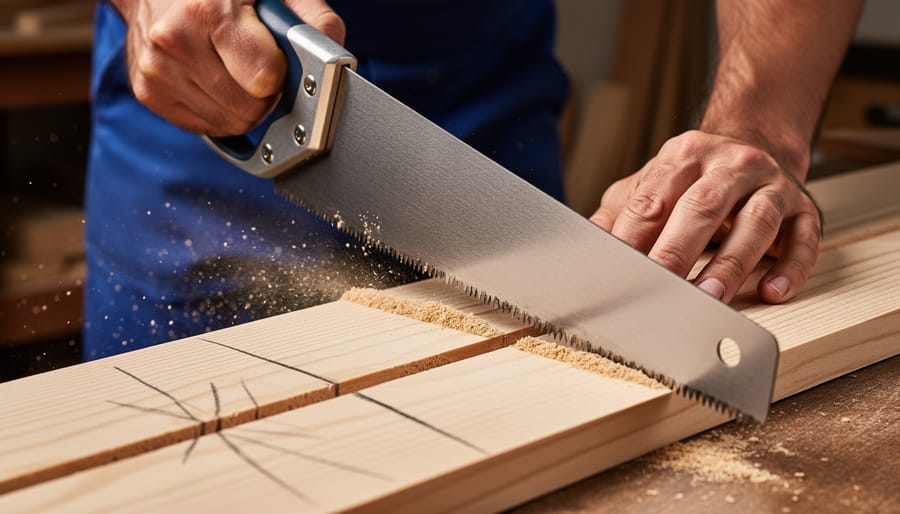
Poor cutting performance, ragged edges, slow progress, burning, or the tool wandering off your line, usually signals a blade issue rather than a jigsaw problem. Start by inspecting the blade teeth under good light. Worn, chipped, or missing teeth can’t cut effectively, and a dull blade forces you to push harder, creating heat and poor results.
Verify you’ve matched the blade to your material. Wood blades won’t cut metal cleanly, and coarse-tooth blades tear through thin sheet goods. Check the packaging or manufacturer specs if you’re unsure. If teeth look flattened or the blade has visible heat discoloration, replacement is the answer.
Can you sharpen jigsaw blades? Technically yes for specialty or expensive blades, but it’s rarely worth the effort or risk. Jigsaw blade teeth are small and precisely angled, home sharpening often changes geometry, making the blade unsafe. For standard blades, replacement is cheaper and maintains sharpening safety standards. A fresh blade cuts cleanly with minimal pressure.
Also review your technique. Forcing the tool, running too fast through hardwood, or cutting without support causes premature dulling and poor performance. Let the blade do the work, steady, moderate pressure and appropriate speed deliver clean cuts and longer blade life.
Fix: Blade Won’t Release from Jigsaw
A stuck t-shank blade can be frustrating, but releasing it safely requires patience and the right approach.
Safety First: Unplug the jigsaw completely. Remove the battery if it’s cordless. Never attempt to free a stuck blade with power connected.
Identify Your Release Type: Most jigsaws use a lever, rotating collar, or hex-screw system. Check your manual if unsure, each requires a different activation method.
For Corroded Mechanisms: Apply a few drops of penetrating oil around the blade clamp. Wait five minutes for it to work into the mechanism. This works especially well on older tools or those exposed to moisture.
Activate and Wiggle: Engage the release mechanism while gently rotating the blade side-to-side. Apply steady, light pressure, forcing it risks damaging the retention system.
Check for Obstructions: Debris packed around the blade shank often causes binding. Use compressed air and a small brush to clear the clamp area.
When to Stop: If the blade won’t budge after these steps, the internal spring or clamp mechanism may be broken. Take the tool to a qualified repair shop rather than risk further damage.
Preventing T-Shank Blade Issues: Maintenance and Best Practices
Most t-shank blade problems never happen if you build simple maintenance habits into your workflow. A sharp, clean blade in a well-maintained jigsaw is not just more productive, it’s significantly safer, reducing the risk of kickback, binding, and loss of control during cuts.
Start by adding jigsaw maintenance to your quarterly maintenance plan. Every few months, remove the blade and use compressed air to blow out the blade clamp mechanism, then wipe the housing and ventilation slots. Check the blade release mechanism moves freely without sticking. If you run a busy workshop, incorporate this into your regular maintenance schedule and include jigsaws in your workshop inspection routine to catch wear before it causes problems.
Daily prevention matters even more than scheduled maintenance:
- Clean the blade clamp after dusty cuts, especially in MDF, plaster, or metal, debris is the number one cause of retention failures
- Store blades in their original packaging or a dedicated case, never loose in a toolbox where shanks can get bent or damaged
- Inspect each blade before installation: look for bent tangs, missing teeth, cracks near the shank, or any visible damage
- Replace blades at the first sign of dullness, forcing a dull blade creates heat, vibration, and dangerous binding
- Dispose of worn blades safely by wrapping them in cardboard and tape before binning, never toss them loose
Select blades purposefully. Match tooth count and material designation to your workpiece, and buy quality brands with precise shank geometry. Cheap blades with inconsistent dimensions cause fitting problems that waste more time than the money saved.
Retire blades proactively, not reactively. If a blade has cut noticeably slower, produced burn marks, or required excessive feed pressure, replace it immediately. A blade that has fallen out during use should never go back in the tool, the shank geometry is compromised. Using damaged or dull blades isn’t just inefficient, it’s a safety risk you can eliminate for a few dollars.
Understanding T-Shank vs. U-Shank: Key Terms and Specifications
When troubleshooting jigsaw blade problems, understanding the terminology helps you diagnose issues faster and communicate clearly with tool suppliers or repair technicians. These terms distinguish blade types, explain how they attach to your jigsaw, and clarify the mechanisms that hold them securely during use.
- T-Shank (Tang)
- The cross-shaped end of a jigsaw blade with a single protruding tang that locks into a blade clamp. This design allows tool-less blade changes and provides superior grip compared to older u-shank systems.
- U-Shank (Universal Shank)
- An older blade design with a U-shaped notch that requires a set screw or Allen key to secure. Less common on modern jigsaws manufactured after the mid-1990s.
- Blade Clamp (Chuck)
- The mechanism at the front of the jigsaw that grips and holds the blade shank. Can be lever-operated, collar-twist, or set-screw type depending on the tool model.
- Tool-Less Blade Change System
- A quick-release mechanism that allows blade swaps without tools, using a lever or collar to open and close the clamp. Standard on t-shank compatible jigsaws since the late 1990s.
- Shank Geometry
- The precise dimensions and shape of the blade’s mounting end, including tang thickness, width, and position. Variations outside standard specifications cause fitting and retention problems.
- Blade Retention Mechanism
- The internal spring, ball bearing, or locking pin system that holds the blade firmly in the clamp during operation. Wear or debris in this system leads to blade slippage or ejection.
Recognizing these terms on product packaging and in jigsaw manuals prevents confusion when selecting replacement blades. A jigsaw labeled “t-shank compatible” has the appropriate blade clamp design, while older tools marked “u-shank” or “universal” require different blade types or an adapter. Most jigsaws sold since 2000 accept only t-shank blades, which explains why forcing a u-shank blade into a t-shank clamp damages both the blade and the tool. Checking your jigsaw’s manual or the existing blade type before purchasing replacements saves time and eliminates the most common fitting problem DIYers encounter.
What Readers Are Asking: T-Shank Blade Troubleshooting FAQs
Can you convert a u-shank blade to work in a t-shank jigsaw?
No, you cannot safely convert u-shank blades to fit t-shank systems. The retention mechanisms are fundamentally different, and attempting modifications creates serious safety hazards including blade ejection during use.
How do you know when a blade needs replacing versus sharpening?
Replace blades when teeth are visibly missing, chipped, or significantly worn down. Most jigsaw blades aren’t designed for sharpening due to their thin profile and specialized tooth geometry, replacement is safer and more cost-effective than attempting to sharpen them.
Are all t-shank blades universal across different jigsaw brands?
Yes, t-shank blades follow a standardized design that fits virtually all modern jigsaws with t-shank systems, regardless of manufacturer. This universal compatibility is one of the main reasons t-shank has become the industry standard.
Why does my blade keep coming loose during cuts?
A blade that loosens repeatedly usually indicates debris in the blade clamp, incomplete insertion, or a worn retention mechanism in your jigsaw. Clean the clamp thoroughly and ensure you hear or feel the positive lock when installing the blade.
Is it safe to use a slightly damaged blade?
No. Even minor shank damage, small bends, chips, or worn edges, compromises blade stability and increases the risk of the blade ejecting or breaking during use. Replace damaged blades immediately rather than risk injury.
Can you sharpen jigsaw blades at home?
While technically possible for thick, coarse-tooth blades using specialized files, it’s generally not recommended. Jigsaw blades are inexpensive, and improper sharpening alters tooth geometry, creating uneven cuts and potential safety issues.
What should I do if my blade won’t release from the jigsaw?
First, ensure the tool is unplugged. Apply a small amount of penetrating oil around the clamp mechanism and let it sit for a few minutes, then gently wiggle the blade while activating the release lever or collar.
These questions come directly from real workshop frustrations we hear about constantly. The u-shank conversion question particularly matters because forcing incompatible systems is a genuine safety risk some people attempt when they’ve got the wrong blade type on hand. The replacement versus sharpening debate also trips up many DIYers who apply knife or saw sharpening logic to jigsaw blades without realizing the geometry differences.
When a blade keeps loosening, it’s almost always user error in installation or a maintenance issue rather than a defective blade. Walking through your installation process with someone experienced often reveals you’re not pushing the blade in far enough to engage the lock fully. The slight damage question deserves emphasis because people underestimate how a small shank imperfection affects retention at high speeds.
Quick Reference: T-Shank Blade Problem Solving at a Glance
Before you touch a blade, unplug the jigsaw or remove its battery. This single habit prevents more shop injuries than any other safety practice. Every problem we’ve covered, from stuck blades to poor cuts, starts with a powered-down tool.
Inspection takes ten seconds and saves hours of frustration. Check the blade shank for bent tangs, worn teeth, or missing tips. Look inside the blade clamp for sawdust, metal shavings, or corrosion. A quick visual catches problems before they become safety hazards.
Match matters. Wood blades have wider-set teeth than metal blades. Using the wrong type forces you to push harder, which loosens the blade and degrades cut quality. When a blade struggles, swap it for the right one rather than muscling through.
Retire blades promptly. Dull or chipped blades don’t just cut poorly, they wander, bind, and can snap mid-cut. If you’re pushing harder than usual or seeing burn marks on the material, the blade is past its useful life. Replace it before it fails on you.
Clean the blade clamp after every few hours of use, or whenever you notice dust buildup. A quick blast of compressed air and a brush wipe keeps the retention mechanism working smoothly. This two-minute task prevents 80% of the “blade won’t lock” and “blade keeps slipping” calls to tool manufacturers.
Most t-shank blade problems you’ll encounter trace back to straightforward issues: sawdust packed in the blade clamp, a worn-out blade you should’ve replaced last week, or simply not pushing the shank in until it clicks. The good news? These aren’t mysteries requiring expensive repairs or specialized knowledge. A few minutes with a brush, compressed air, and fresh blades will solve the majority of headaches.
That said, don’t overlook the safety angle. A loose or damaged blade isn’t just frustrating, it’s a legitimate hazard. Blades that slip mid-cut can kick back, bind, or shatter. When teeth are dull or the shank is bent, replace rather than wrestle with it. Sharp, secure blades cut cleaner, faster, and with far less risk of injury.
Your experience matters here. If you’ve discovered a trick for stubborn blade releases, a particular brand that locks more reliably, or a maintenance routine that keeps your jigsaw running flawlessly, share it. Head to our reviews and forum sections to contribute your troubleshooting wins, tool recommendations, and hard-earned lessons. The community learns best from real shop floors and job sites, not just manuals.
Related Posts